
Captured leads
Every form a visitor sends becomes a lead. You see it on the Leads tab straight away, and it is saved for good as a contact with the tag lead-widget, ready for chats, segments and broadcasts.
See your leads
Open the Leads tab
On the Lead widget page (Settings, then Lead Widget), click the Leads tab. The number on the tab shows how many leads are listed.
Read the list
Recent leads shows the forms sent in the last 90 days, newest first:
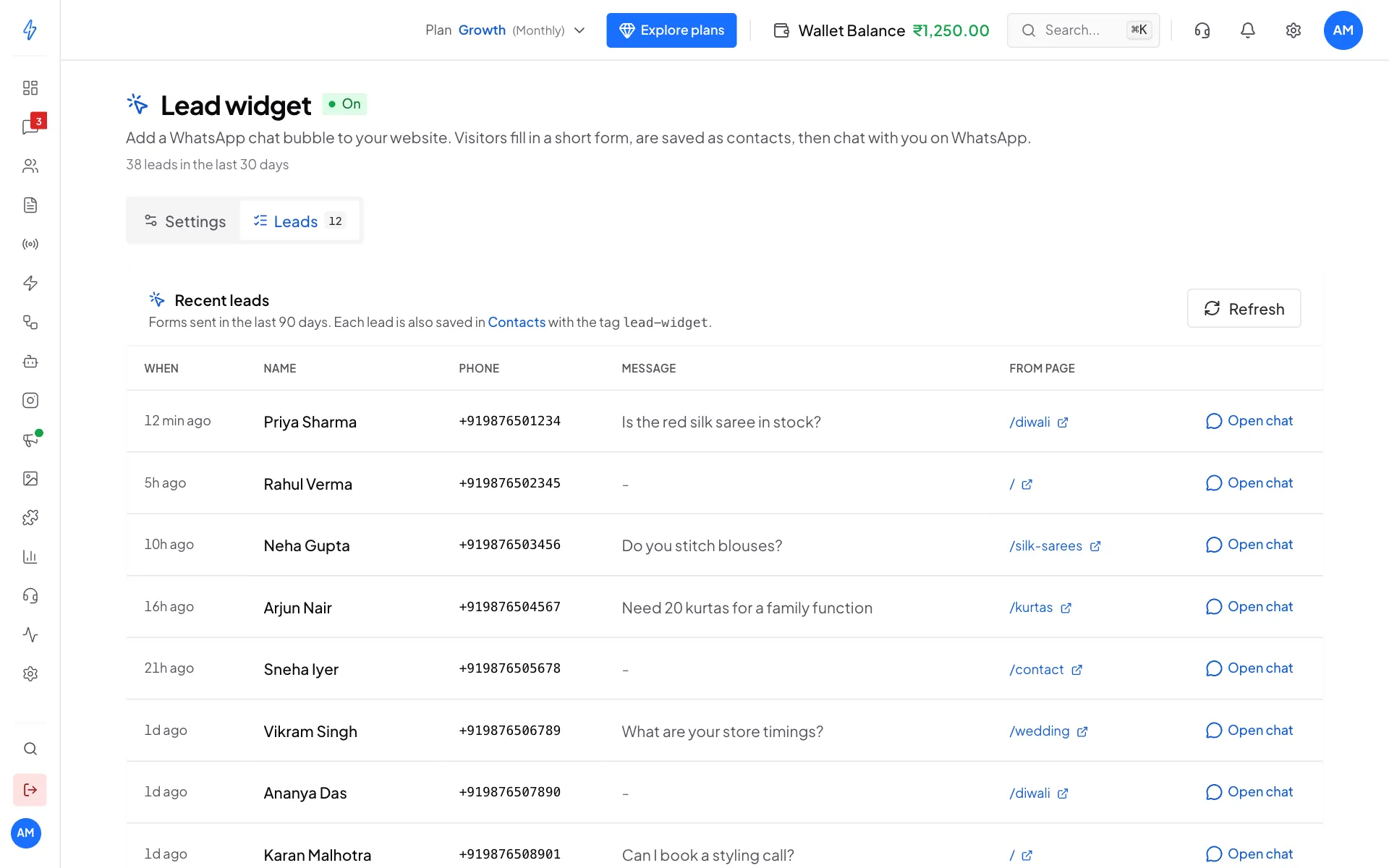
Every form sent from your website Follow up
Click Open chat to go to Messages. Once the visitor has sent their WhatsApp message, their chat is there, linked to the contact.
The list refreshes every 30 seconds while it is open. Click Refresh to update it now. The page header also shows how many leads you got in the last 30 days.
What is saved
For every form sent:
The contact (kept for good)
- the visitor's name (or their number, if you did not ask for a name),
- their phone number,
- the tag
lead-widget, - where they came from: the widget, the page they were on, and the website before that.
The lead in the Leads list (kept 90 days)
- all of the above, plus their message and the time, and (for spam checks) their internet address and browser.
A chat
- ready in Messages, so when the visitor sends their first WhatsApp message it lands with the right contact.
Use your leads
Every widget lead has the tag lead-widget, so you can:
- Build a segment of widget leads with the tag condition. See Segments.
- Send a broadcast to recent leads who did not reply yet.
- Filter Contacts by the tag to see all of them.
When a visitor sends their first WhatsApp message, your bots run just like for any new chat. For example, a WhatsApp bot set to New contacts only can greet them.
The same visitor twice
If a visitor sends the form twice with the same phone number:
- The contact is not duplicated. The existing contact is used.
- A new row is added to the Leads list, so you see both.
- Tags you already added to that contact stay.
Privacy
Each lead in the Leads list keeps the visitor's internet address and browser for spam checks. These are deleted after 90 days. Names and phone numbers in Contacts stay until you delete them, because that is your customer list.
To delete a widget lead for privacy reasons:
- Open Contacts.
- Find the contact (filter by the tag
lead-widget). - Delete it.
Export
The Leads list has no download button. To export your leads, export your contacts filtered by the tag lead-widget from Contacts. See About contacts.