
Customize the widget
Make the widget match your brand: its colour, which corner it sits in, its words and which form fields are required. Every change saves on its own and shows in the live preview straight away.
Everything below is on the Lead widget page (Settings, then Lead Widget), on the Settings tab. Next to the tabs you see Changes save on their own (or Saving while it saves). Your websites pick up changes within about a minute.
Change the look and the words
Pick a colour
In Look, click the colour square to pick a colour, or type a colour code like
#25D366(WhatsApp green, the default). The bubble, the form header and the button all use it. Pick a colour that white text is easy to read on.Pick a corner
Under Position, click Left or Right. Pick the corner that does not clash with other buttons on your site, like a cookie banner or a "back to top" button.
Write the words
In Words, change the text. Leave a field empty to use the default shown in grey.
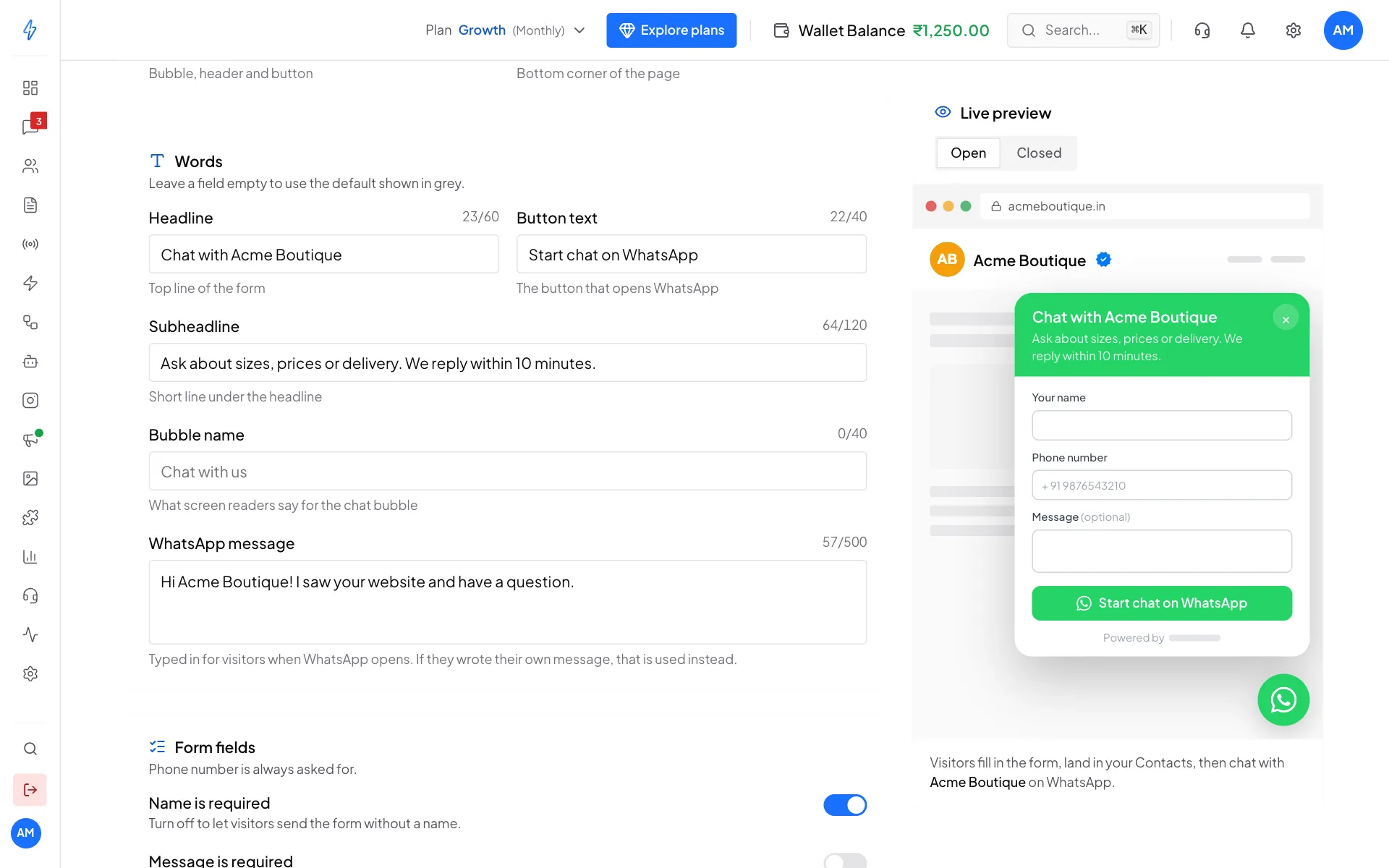
Change the words, see them in the preview Check the preview
The Live preview on the right shows the widget on a sample page. Click Open to see the form, or Closed to see just the bubble.
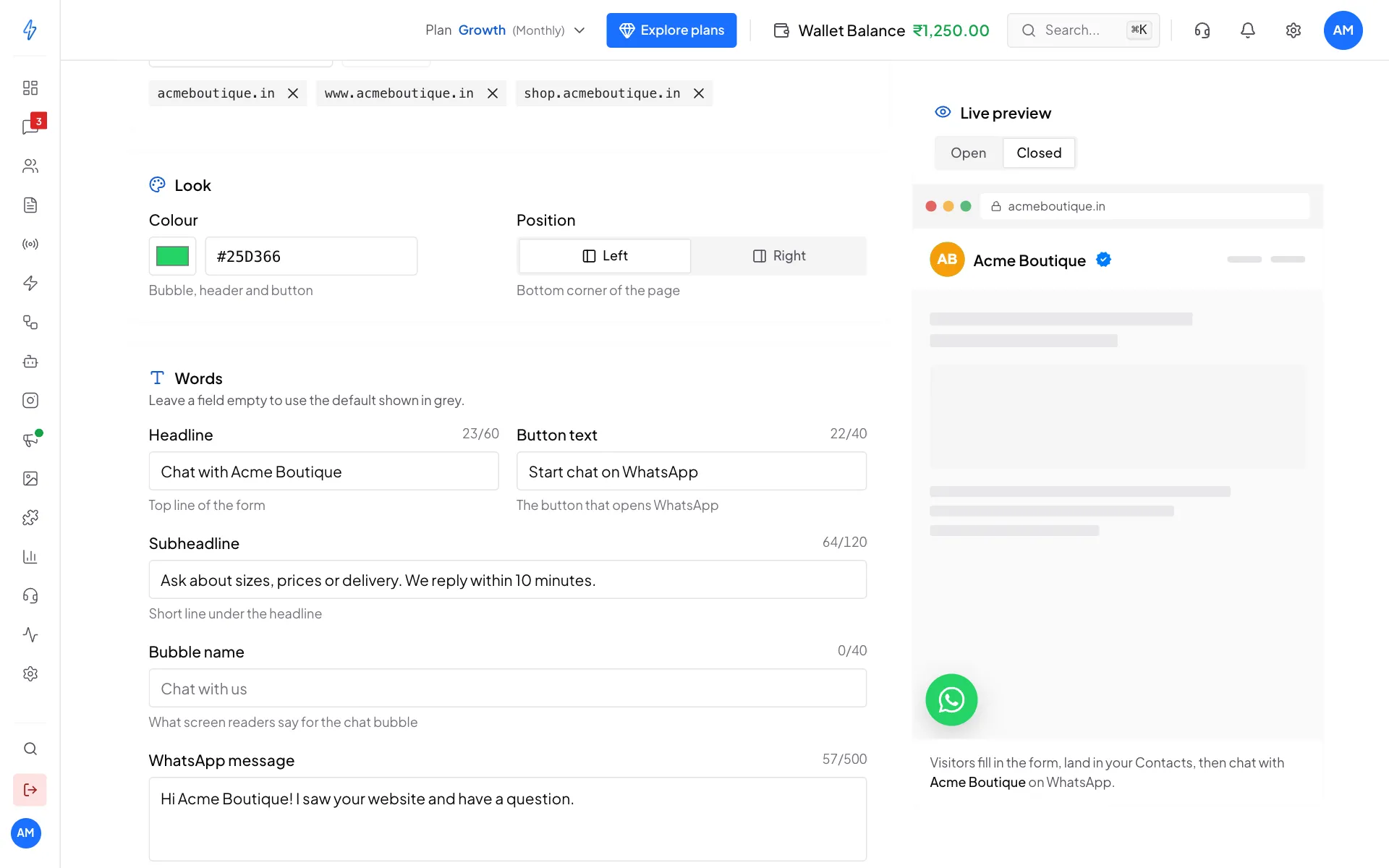
The closed bubble, here in the left corner
The text fields
The WhatsApp message is waiting in the visitor's WhatsApp when it opens. They can change it or just send it. Use it to tell your team where the lead came from, for example:
Hi Acme Boutique! I saw your website and have a question.If the visitor wrote their own message in the form, that is used instead, so your team sees what they actually want.
Choose the form fields
The Phone number is always asked for. Visitors must enter a valid number with the country code (10 to 15 digits, an optional + in front).
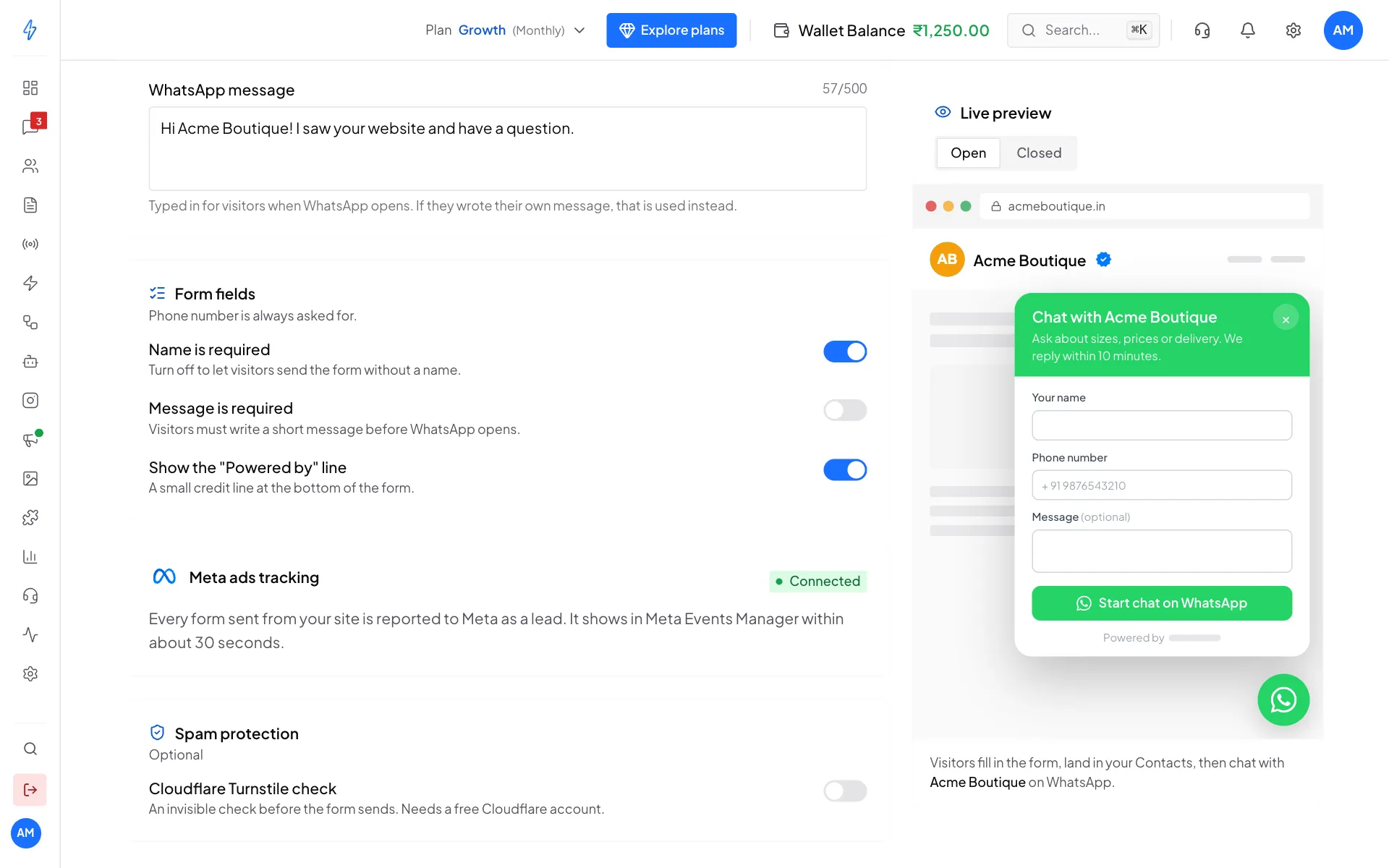
Meta ads tracking
The Meta ads tracking card shows whether forms are reported to Meta as leads:
- Connected: every form sent from your site is reported to Meta as a lead. It shows in Meta Events Manager within about 30 seconds. Your Click-to-WhatsApp ads can then find more people who fill in forms.
- Leads off: Meta is connected, but lead reporting is off. Turn it on in Ads settings.
- Not connected: connect Meta in Ads settings first.
The widget works the same either way. See Click-to-WhatsApp (CTWA) tracking.
Spam protection
The widget already blocks most spam:
- Allowed websites: forms are only accepted from the websites on your list. This stops almost all abuse.
- A limit per visitor: at most 10 forms per hour from the same internet address. After that, the visitor sees "Too many submissions in the last hour".
If you still get scripted spam, turn on Cloudflare Turnstile check. It is an invisible check before the form sends, and it is free.
Get a site key
Sign up at Cloudflare, add your website under Turnstile, and copy the Site key.
Switch on the check
In Spam protection, switch on Cloudflare Turnstile check. A Turnstile site key box appears.
Paste the site key
Paste your site key and click outside the box. The check turns on once the key is saved.
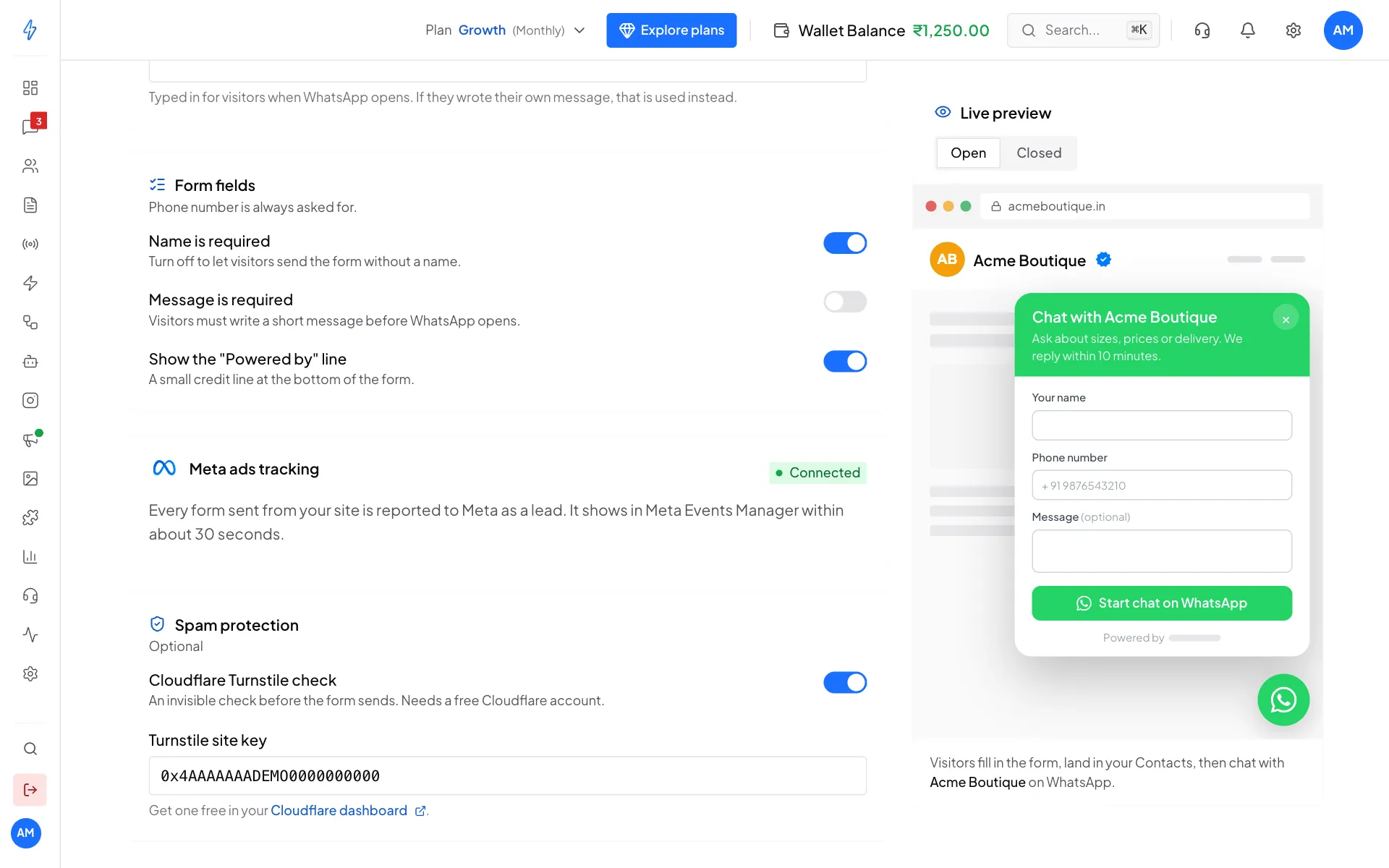
Turnstile is on with a site key
Real visitors almost never notice the check. Bots fail it, and their forms are turned away.
What you cannot change yet
- The order of the form fields (name, phone, message). There are no multi-step forms.
- Your own CSS or HTML inside the form.
- More than one widget per account.
- A/B tests of different versions.
If you need one of these, contact support at [email protected].