
Troubleshooting
Most widget problems come from a website that is not on the allowed list, a widget that is switched off, or code that did not load. Find what you see below and follow the fix.
The bubble does not show on my website
1. Is the widget switched on? On the Lead widget page, the badge next to Lead widget must say On, and Show the widget on my websites must be switched on. When it is off, the preview says The widget is off.
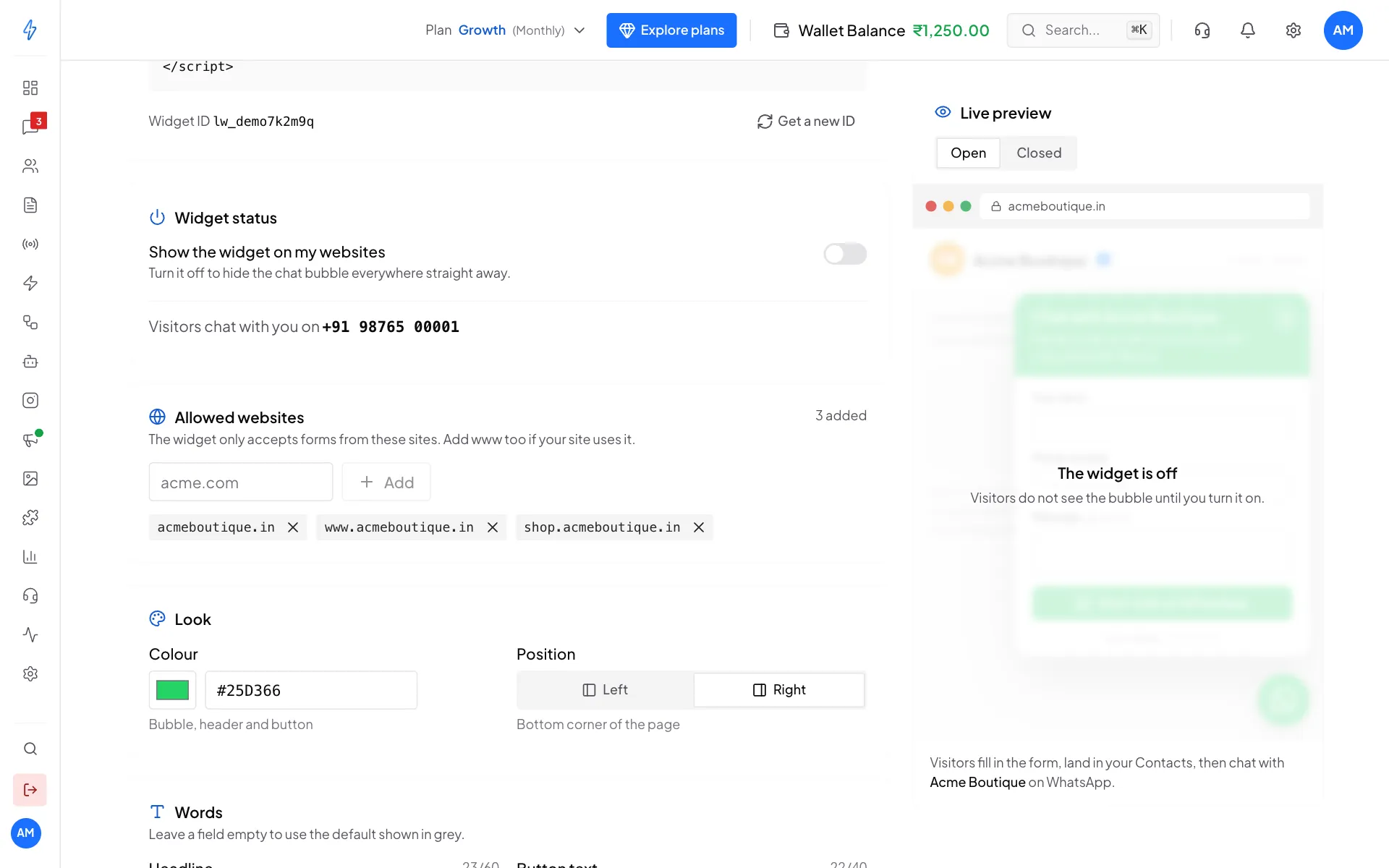
2. Is the code on the page?
Open your website, right-click and choose View page source. Search for widget.js. Some website builders remove scripts unless you use their "custom code" setting. See Set up and embed.
3. Is an old copy of your page showing? If you just added the code, your website's cache may still show the old page. Refresh with Ctrl+Shift+R (Windows) or Cmd+Shift+R (Mac), or clear your website's cache.
4. Check the browser console. Right-click the page, choose Inspect, and open the Console tab:
[Splashify Widget] missing data-widget attribute: the code was pasted incorrectly. Copy it again with Copy code.- Nothing about the widget at all: the script did not load. Check step 2.
"This widget isn't authorised on this site"
The website is not on your Allowed websites list. Add it:
acmeboutique.inandwww.acmeboutique.inare different. Add both if your site uses both.- Other parts of your site are not included automatically. Add
shop.acmeboutique.inon its own. httporhttpsdoes not matter. Only the address counts.
If the list is empty and the widget is on, the page warns you: Add at least one website. Until you do, the widget turns every form away.
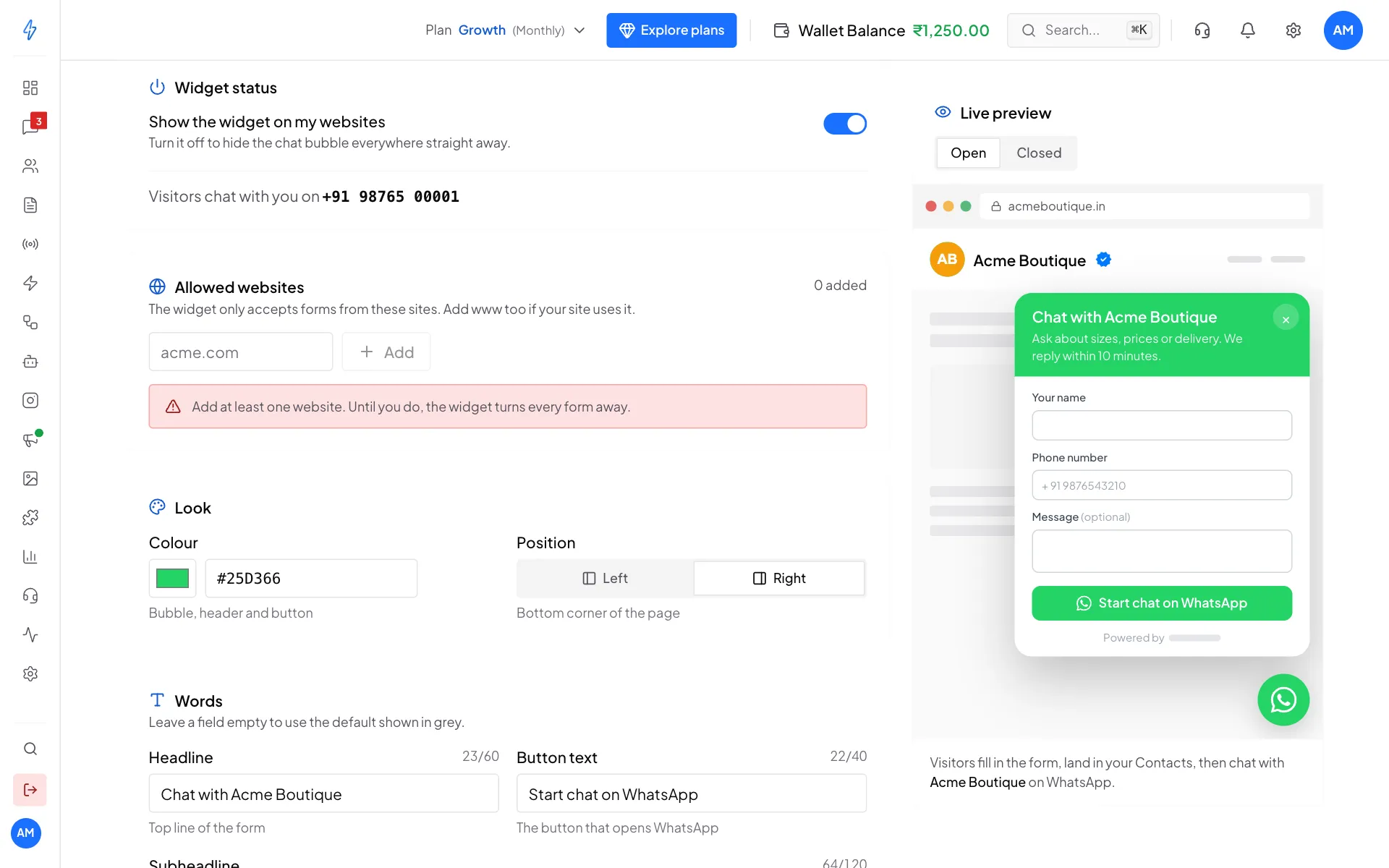
"Chat is currently unavailable"
Either the widget is switched off, or no WhatsApp number is connected. Switch the widget on, and check that the Widget status card shows the number visitors chat with. To connect a number, see Connect WhatsApp (WABA).
"Too many submissions in the last hour"
Each visitor can send at most 10 forms an hour from the same internet address. Common reasons:
- One person kept sending the form. Wait an hour, or test from another network.
- A bot is sending forms. Turn on the Cloudflare Turnstile check.
- You are testing from an office where many devices share one internet address. Test on mobile data.
The form opens but will not send
Read the red message in the form:
A visitor sent the form but I cannot find the lead
Open the Leads tab first. If the lead is there, it worked. The same person is in Contacts with the tag lead-widget. Search by phone number if you do not see them.
If the lead is not there, the form did not go through. Ask the visitor whether WhatsApp opened. If it did, the lead should be saved, so search Contacts by their number.
The visitor went to WhatsApp, but there is no chat in Messages
The chat only shows in Messages after the visitor presses send in WhatsApp. Many visitors open WhatsApp and then do not send. Their lead is still saved in the Leads tab and in Contacts.
The widget looks wrong on my website
The widget runs in its own separate space, so your website's styles cannot change it. If something still looks wrong:
- Right-click the bubble and choose Inspect. You should see
splashify-lead-widgetwith a#shadow-rootinside. - If that is missing, the browser is too old (for example Internet Explorer). The widget does not start on those browsers.
- Otherwise, take a screenshot and email [email protected].
Your website blocks outside scripts
Some websites have a security rule (a Content Security Policy) that blocks outside scripts. The browser console then shows something like:
Refused to load the script 'https://app.splashifypro.com/widget.js'
because it violates the following Content Security Policy directive
Ask your developer to allow the address from your embed code in both script-src and connect-src:
Content-Security-Policy: script-src 'self' https://app.splashifypro.com;
                         connect-src 'self' https://app.splashifypro.com;
"Your plan does not include the lead widget"
The Lead widget page shows this when your plan does not include the widget.
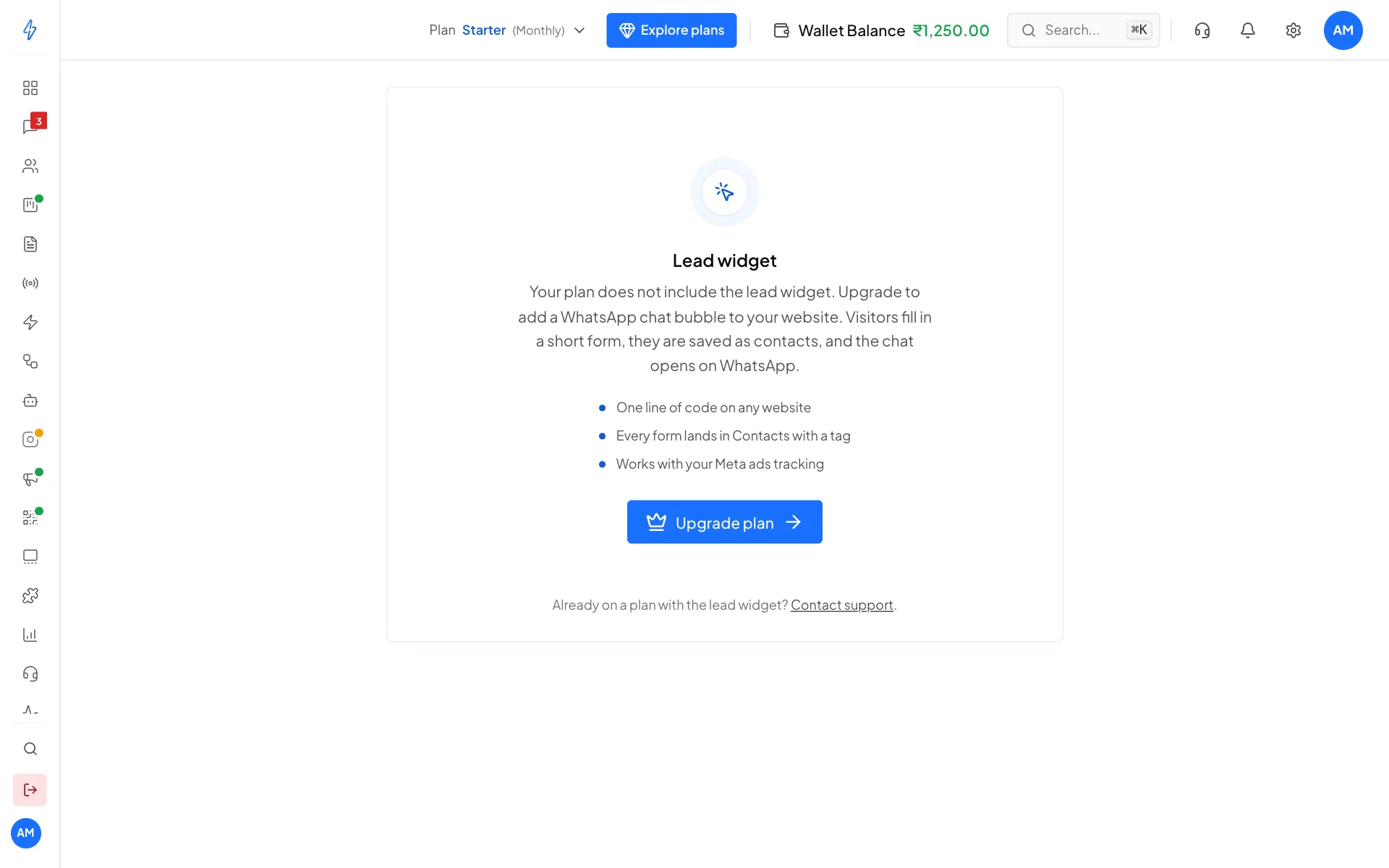
Click Upgrade plan and pick a plan with the lead widget. If you already upgraded and still see this, check Settings, then Manage Subscriptions, and make sure your plan is active. Already on a plan with the widget? Contact support.
Still stuck?
Email [email protected] with:
- your widget ID (
lw_..., shown under the embed code), - a screenshot of the browser console, if there is an error,
- the web address where you pasted the code,
- what should happen, and what happens instead.