
About email marketing
Send marketing emails, like a sale announcement or a monthly newsletter, from your own domain, for example [email protected]. Design the email once as a template, then send it to your customers and see who opened and clicked.
Where to find it
Open Settings (the gear icon in the left sidebar or the top bar). Under Email Marketing you will find:
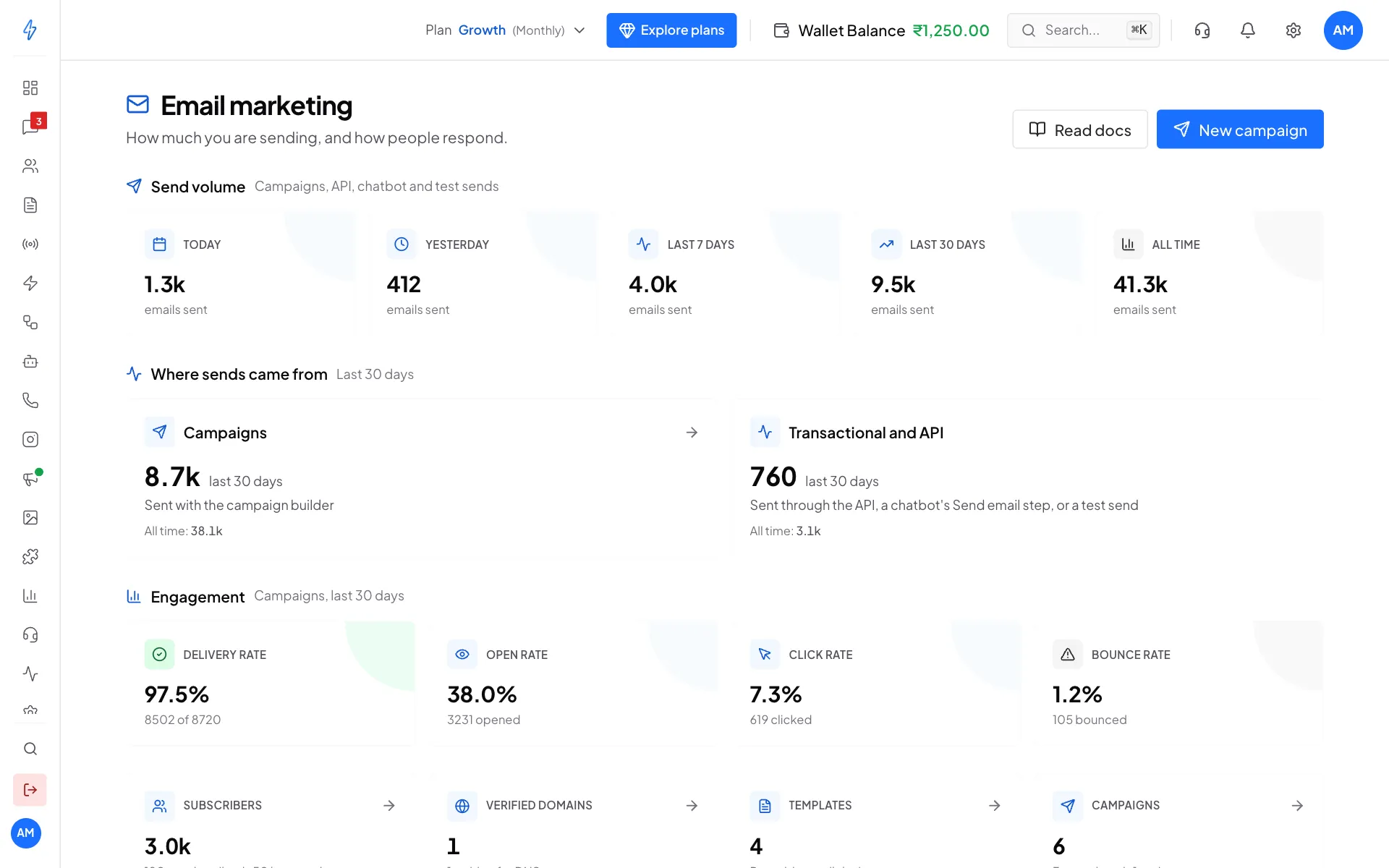
- Email Dashboard: your sending numbers and quick links
- Campaigns: create and send campaigns
- Templates: design your emails
- Sender Domain: prove you own the domain you send from
The Email Dashboard shows how many emails you sent today, this week and this month, and how people responded: Delivery rate, Open rate, Click rate and Bounce rate.
How to start
Connect your sender domain
Add the domain you send from and copy the DNS records it shows (three, or five when DKIM 2 and Return path are listed) to your domain provider. See Connect your sender domain.
Build a template
Start from a ready-made design or a blank page, and change it in the visual editor. See Build email templates.
Add your audience
Add the email addresses of your customers, and group them into segments. See Send campaigns.
Send a campaign
Pick the sender, the template and the audience, then send. See Send campaigns.
Until the first two steps are done, the dashboard shows Finish setup to send your first campaign with links to what is missing.
What it costs
The first 100 emails each day are free. After that, each email is charged from your wallet. Scroll to Your current rate at the bottom of the Email Dashboard to see your own price per email.
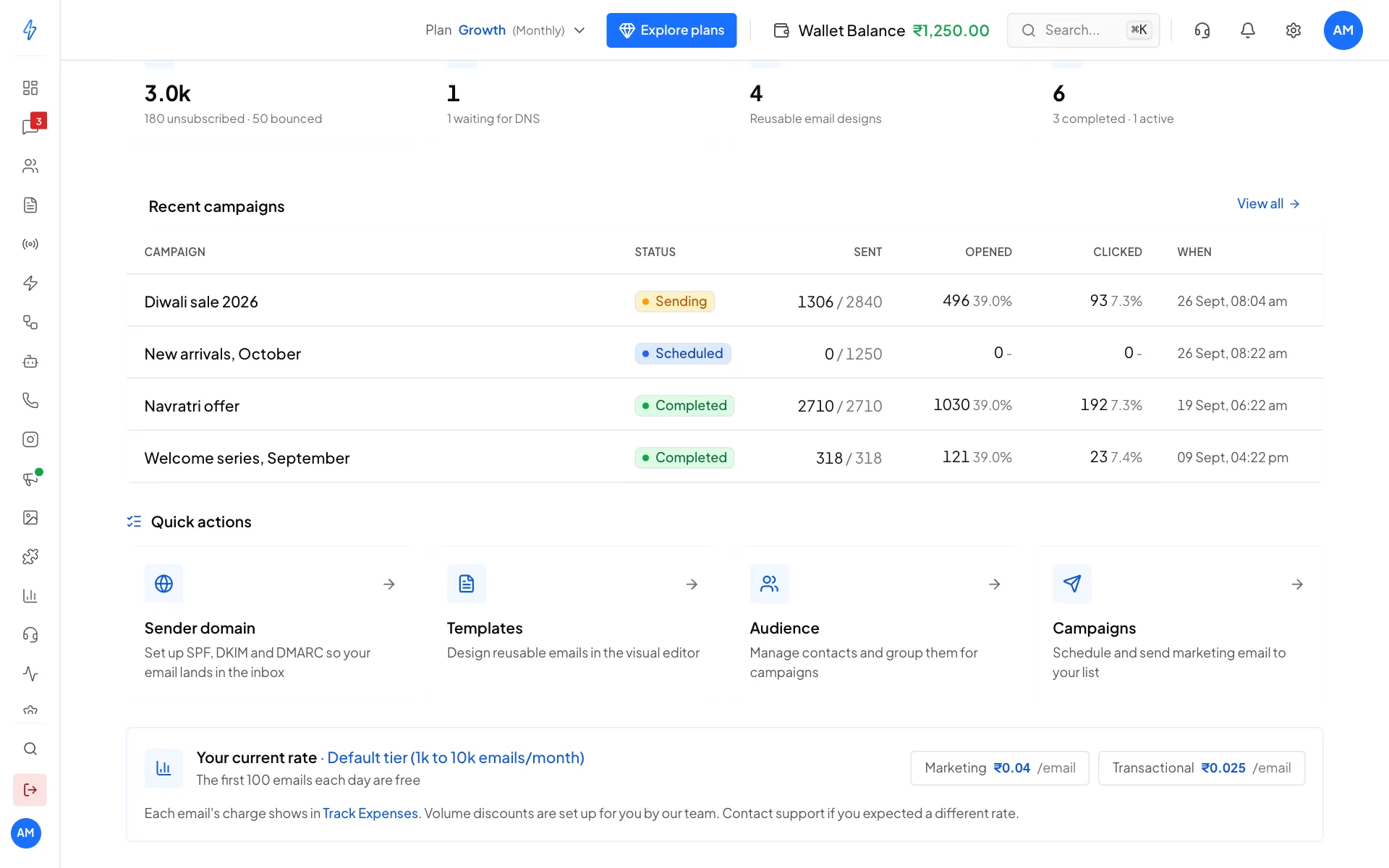
Every email costs ₹0.03, marketing (campaigns) and transactional (sent from your system through the API, a chatbot's Send email step, or a test send) alike.
This price is for accounts in India. For an account outside India, see Other prices.
If you send a lot, our team can set a lower rate for you. If you signed up through a partner, your rate includes their markup. Each email's charge shows in Track Expenses. See Track expenses.
Email marketing needs the right plan
If you open the Email Dashboard and see Your current plan doesn't include email marketing, click Upgrade plan. See Buy or change a plan. If you already paid for a plan with email marketing, contact support.
Built-in protection for your sender name
- Unsubscribe link: every email gets an unsubscribe link, and Gmail and Outlook show their own Unsubscribe button. People who unsubscribe are skipped in future campaigns.
- Bounces are skipped: addresses that bounce are not emailed again, which protects your domain's reputation.
- Footer: the Footer block adds your business name, address and the unsubscribe link. Email rules in many countries ask for these, and inboxes trust emails that have them.
Send email from your own system
Developers can send one-to-one emails, like order receipts or login codes, from your website or app. See Send email and Send template email in the API docs.