
Connect your sender domain
Before you can send, prove you own the domain your emails come from, for example acmeboutique.in. You copy a few records to your domain's DNS settings, once. Inboxes then trust your emails more, and people see your own domain as the sender.
You do this once for each domain. Adding the records takes about 5 minutes. The records can take from a few minutes up to an hour to show up.
Step 1: add your domain
Open Sender Domain
Open Settings (the gear icon in the left sidebar or the top bar) and click Sender Domain under Email Marketing. The Sender domains page opens.
Type your domain
Under Add a sending domain, type the domain you send from in Domain, like
acmeboutique.in. Leave outhttps://andwww. Gmail, Yahoo, Outlook and other free addresses cannot be used.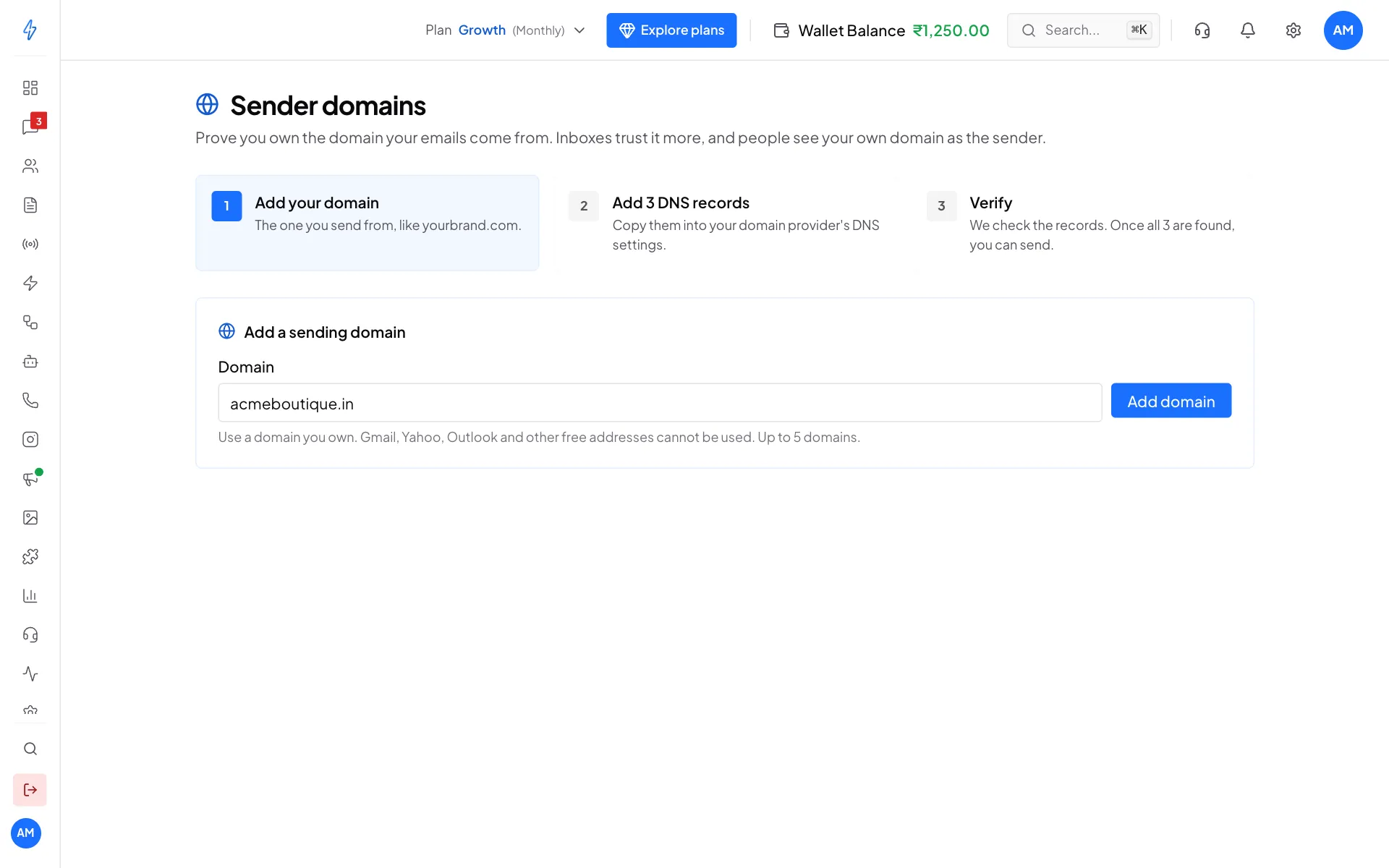
Type your domain and click Add domain Click Add domain
Click Add domain. You will see Domain added, and the domain shows as Pending with the records to add.
You can add up to 5 domains. When you already have one, click Add domain at the top right to add another.
Step 2: add the records at your domain provider
Open your domain's records
Click your domain on the Sender domains page to open it. Under Step 2: add these records at your domain provider you see the records: SPF, DKIM and DMARC, and for most domains also DKIM 2 and Return path.
Add all five. You can send as soon as the first three are verified; add the other two for the best delivery. If your domain shows only SPF, DKIM and DMARC, add those three.
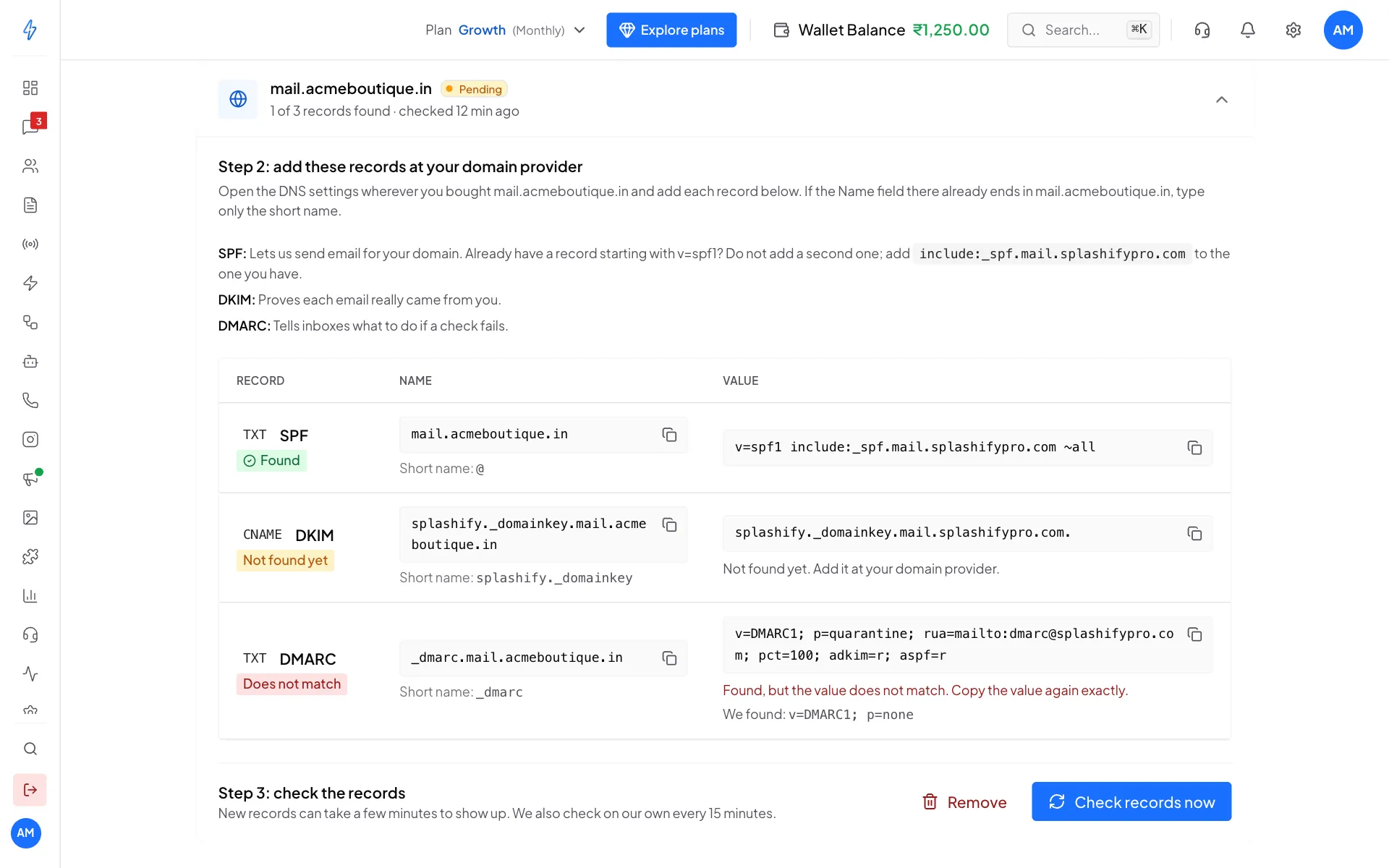
The records, and whether each one was found Open your DNS settings
In another browser tab, log in where you bought your domain (for example GoDaddy, Hostinger, Namecheap or Cloudflare) and open its DNS settings.
Add each record
For each record, add a new record with the same type (TXT or CNAME). Click the copy icon next to the Name and paste it, then do the same for the Value.
If your provider adds your domain to the name by itself, paste only the Short name shown under it, like
_dmarcorsplashify._domainkey. For a record on the domain itself, the short name is@.
What each record does:
Already have an SPF record?
A domain can only have one record starting with v=spf1. If you already have one (for example for Google Workspace), do not add a second one. Add the include: part shown on your screen to the one you have, before ~all.
Using Cloudflare?
Set the CNAME records (DKIM and Return path) to DNS only (grey cloud), not proxied. A proxied record cannot be checked.
Always copy the values from your own screen. They are made for your domain.
Step 3: check the records
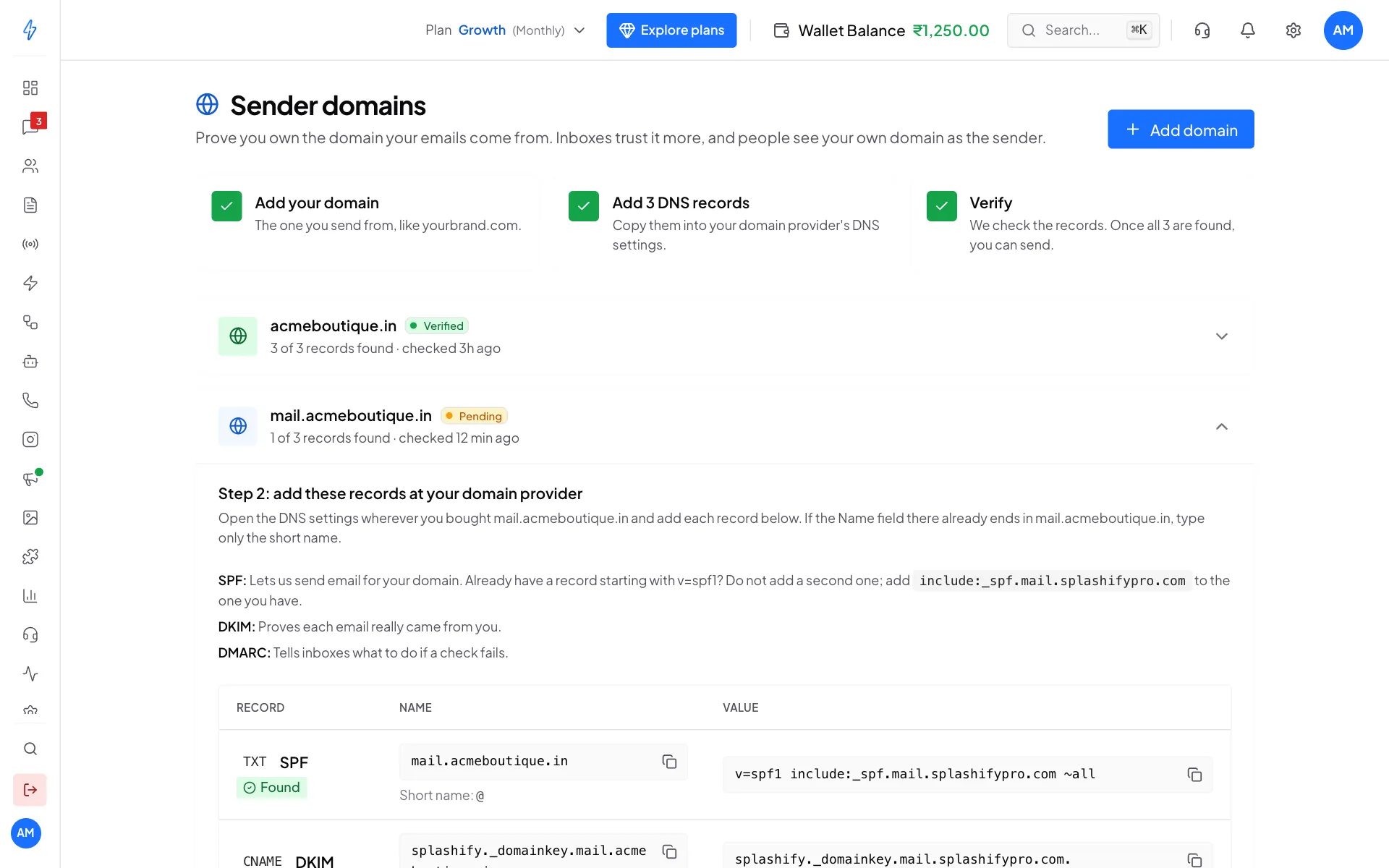
Back on the Sender domains page, click Check records now under Step 3: check the records (on a verified domain the button says Check again). SPF, DKIM and DMARC then show:
DKIM 2 and Return path show Verified once they are in place, and Pending until then.
When SPF, DKIM and DMARC are found, you will see Domain verified and the domain shows Verified. You can send from it now. If DKIM 2 or Return path is still pending, the message names it: add it for the best delivery. When every record is in place, the message says so.
We keep checking for you
New records can take a few minutes to show up. We check records that are not in place yet on our own, about every 15 minutes, so you do not have to keep clicking.
Until the domain is verified
You can build templates and save campaigns as drafts, but you cannot send. The campaign form only lets you pick a verified domain as the sender.
Remove a domain
Open the domain and click Remove, then Remove domain. Emails from that domain stop sending until you add it and verify it again. The records stay at your domain provider. Delete them there if you no longer need them.