
About Voice AI
Available for accounts in India.
A Voice AI agent answers the WhatsApp calls to your business number, day and night. It talks with the caller, answers from the documents you give it, saves leads, plans callbacks and hands the call to a team member when needed.
Where to find it
Click AI Agents & Bots in the left sidebar. Voice agents show in the list as Voice AI agent, on the WhatsApp calls channel, with the number of calls they took in the last 7 days.
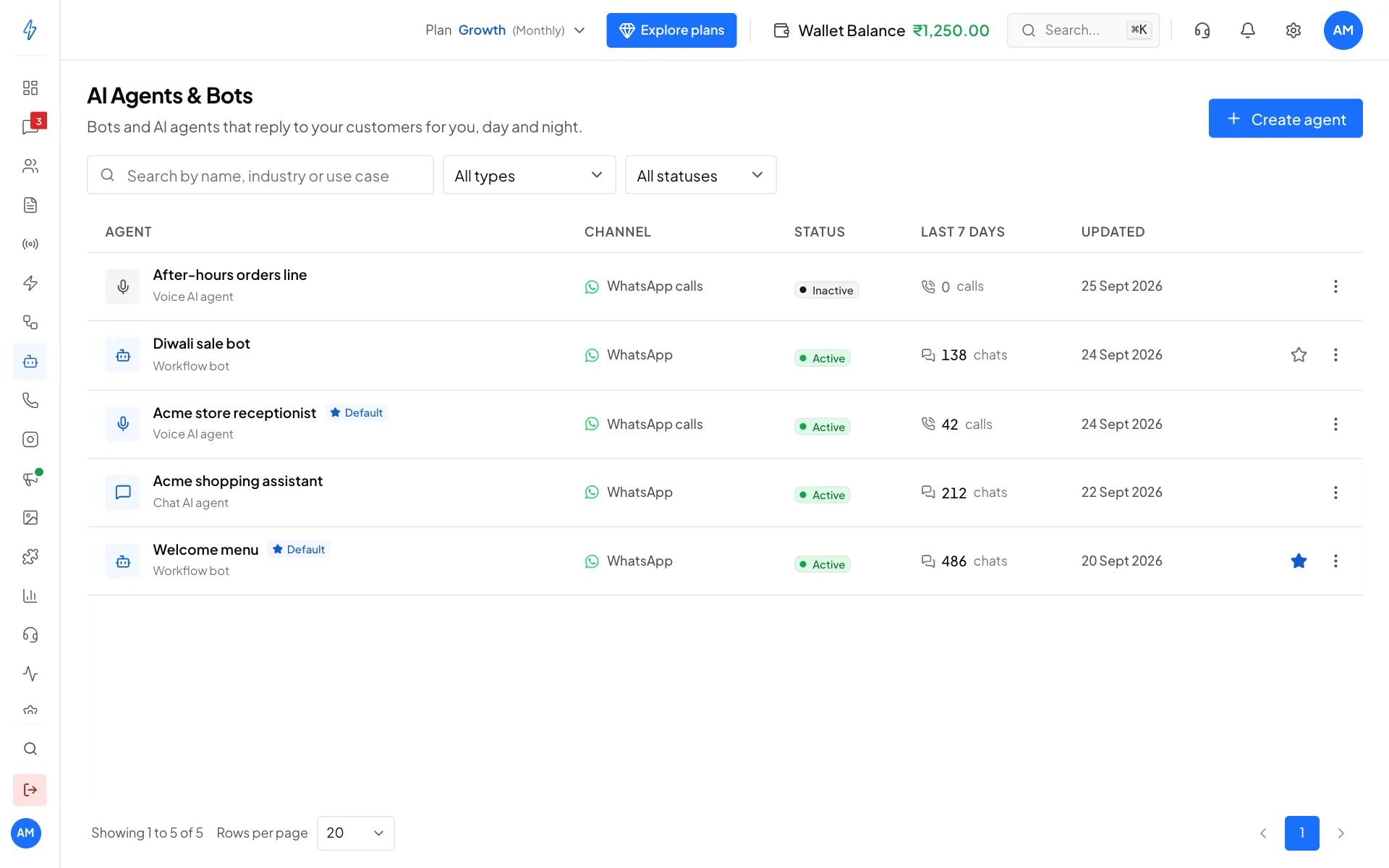
Click a voice agent to open its page. The top shows its status, your rate per minute and about how many minutes of calls your wallet covers. Six tabs hold everything else: Overview, Persona, Knowledge base, Tools, Routing and Activity.
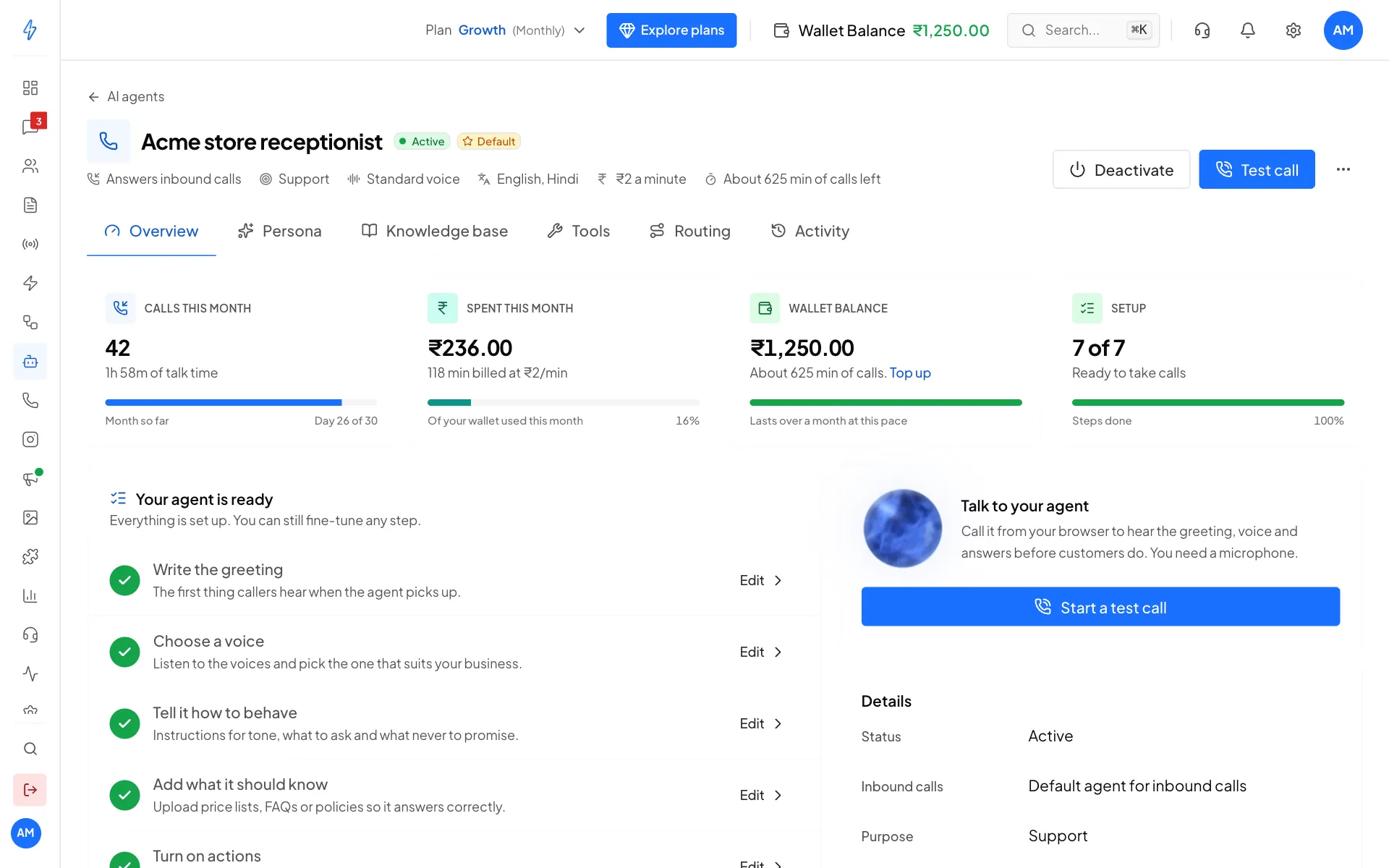
What the agent can do
- Answer questions from the files you upload, like price lists, store timings and return rules.
- Save leads: the caller's name, number and what they want go into Contacts.
- Tag contacts, for example
hot-lead. - Plan a callback at a time the caller picks.
- Send a WhatsApp follow-up after the call.
- Transfer the call to a team member when the caller asks for a person.
- Look up live data in your own system, like order status, with a custom tool.
Every voice speaks English and Indian languages. New agents start with English and Hindi.
How it works
- You set up an agent: its greeting, voice, instructions and the files it should know. See Create a voice agent.
- You try it with a free test call from your browser. See Test call.
- You make it the default agent for inbound calls. See Real WhatsApp calls.
- A customer calls your WhatsApp number and the agent picks up with your greeting.
- After the call, you see it on the agent's Activity tab with every action the agent took. See Monitoring and activity.
What you need
- A connected WhatsApp number with calling turned on. See Calling settings.
- A plan that includes Voice AI. If it does not, Voice AI agent shows Upgrade when you create an agent.
- Money in your wallet. Real calls are charged per second from your wallet. Test calls are free. See Pricing and wallet.
- At least one team member, so the agent has someone to forward calls to.
Quick start
- AI Agents & Bots, then Create agent, then Voice AI agent.
- On the Persona tab, write the greeting, pick a voice and write the instructions.
- On the Knowledge base tab, upload your price list and FAQs.
- On the Tools tab, turn on the actions you want.
- On the Routing tab, pick who gets calls the AI cannot answer, and turn on Default agent.
- Click Test call at the top right and talk to your agent.