
AI Credits & Pricing
Every AI feature is paid from your main Wallet Balance, the same balance that pays for messages. You pay for what the AI reads and writes.
The prices on this page are for accounts in India. For an account outside India, see Using Splashify Pro outside India.
Which balance pays
To top up your wallet, click the words Wallet Balance in the top bar. Clicking the amount next to it opens Track Expenses, where you see what was spent.
Standard rates
These are the standard prices, in rupees. If you signed up through one of our partners, your partner may set different prices. Where the app can, it shows the price before you spend, for example in the Maya AI window.
Sometimes, when our main AI is busy, a backup AI answers so your replies keep going. Those replies cost ₹70 per million tokens read and ₹400 per million tokens written.
What a chat AI agent reply costs
A token is a small piece of text, about 4 letters or three quarters of a word. Each reply counts what the agent reads (its instructions, your knowledge files and the recent chat) plus what it writes.
A typical WhatsApp reply uses about 480 tokens:
480 tokens x ₹40 / 1,000,000 = about ₹0.02 per replyThat is about ₹2 per 100 replies. An agent answering 10,000 messages a month costs around ₹200. Longer instructions and bigger knowledge files add a little to every reply, so keep files to what customers actually ask about.
Replies that use an action
When the agent uses an action, for example to check an order, it reads your system's answer before it replies. That extra step is counted in tokens like any reply, so the reply costs a little more, usually under ₹0.01 extra. Picking only the values the agent needs keeps it low.
Voice notes
When a customer sends a voice note, the agent first turns it into text, and replies with a voice note too.
Customer voice note (10 seconds)    380 x ₹500 / 1,000,000 = ₹0.19
Chat reply (about 480 tokens)                              = ₹0.02
Agent voice reply (200 characters)  200 x ₹0.00375         = ₹0.75
                                                             ─────
Total ≈ ₹0.96To keep costs down, add a line to the agent's Instructions such as Always reply with text.
Knowledge files
Each file you add to an agent's knowledge is read once, then prepared so the agent can search it. A PDF or an image is read by AI, so it costs more than plain text:
10-page PDF                   about ₹4 to ₹5
10,000-word text file (TXT)   about ₹0.90
If your wallet cannot cover a file, it shows Your wallet balance is too low to read this file. Add money, then upload it again.
Maya AI and the template writer
The Maya AI help chat is priced like an agent reply, by tokens. One question usually costs ₹1 to ₹2. Raising a support ticket is free.
Maya AI drafts a whole chatbot flow from your description. You get a few free generations first. After that each one costs ₹5. The Maya window shows how many free ones you have left and the price.
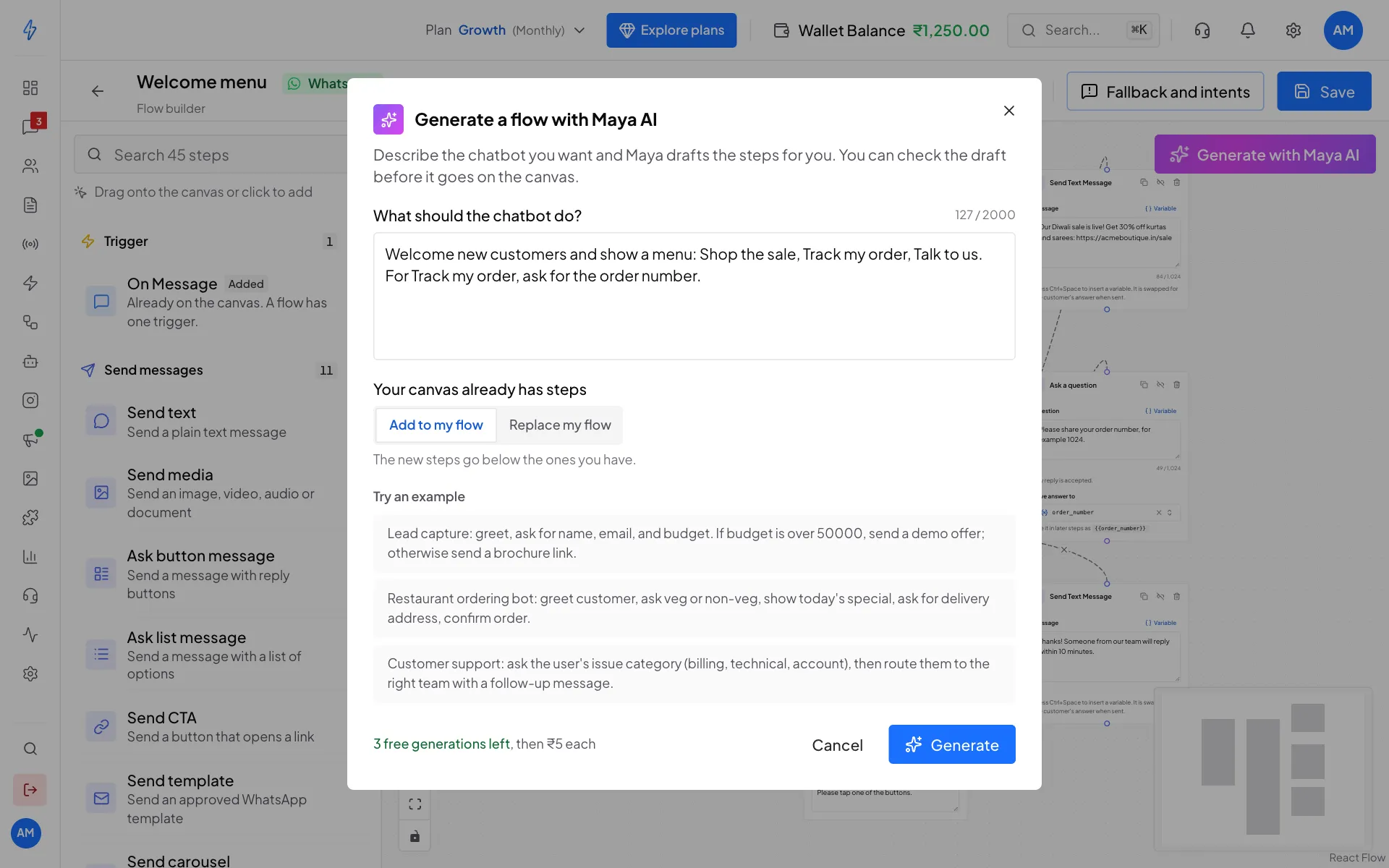
The AI template writer on the Create Template page drafts a full WhatsApp template for ₹2.
Both are charged only when the AI returns a usable result. If your wallet cannot cover the price, the button tells you before anything runs.
Ad AI tools
Four AI tools help with Click-to-WhatsApp ads. See Click-to-WhatsApp (CTWA) tracking and Create an ad.
- AI lead scoring runs on its own, once per chat that came from an ad, so it adds up without you clicking anything. A busy month with 500 ad chats costs about ₹250. A chat is scored again only if the customer says something new.
- AI images are only made when you click Generate with AI on an ad. Every image you make is kept in AI image history, so you can reuse one instead of paying again.
Where to see what you spent
Click the amount next to Wallet Balance in the top bar (or open the gear icon, then Track Expenses) to see every charge, including AI. See Track expenses.
When your wallet runs low
When your balance cannot cover the next AI reply, the agent stops replying and the chat is left for your team to answer. Top up and the agent starts replying again on the next message.
Need higher volume?
For more than 100,000 AI replies a month, we can offer custom rates. Email [email protected] with your expected monthly volume.