
Pricing and wallet
Available for accounts in India.
Voice AI is pay as you go. Real calls are charged per second from your wallet, from the moment the agent picks up. Test calls from your browser are free.
See your rate and balance
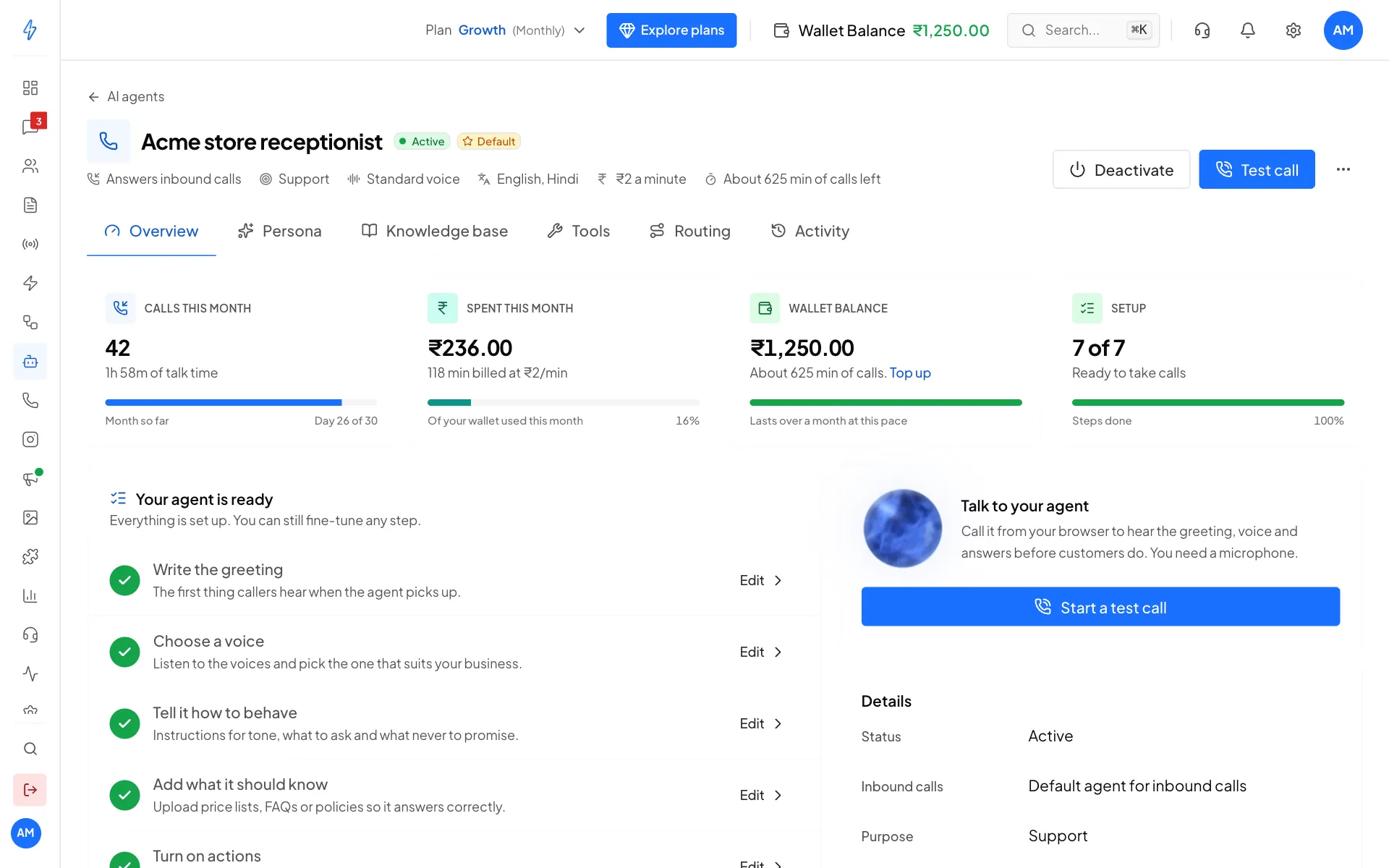
Open your voice agent. The top of the page shows your rate per minute (next to the ₹ icon) and About ... min of calls left, worked out from your wallet balance.
On the Overview tab:
- Spent this month shows what calls cost this month and how many minutes were billed.
- Wallet balance shows your balance, about how many minutes it covers, and a Top up link.
- Calls this month shows how many calls the agent took and the total talk time.
Your rate
The pictures show a demo account. Your own rate per minute is the one on your screen. It can be different for each account, for example if you signed up through a partner.
What is charged
For example, if your rate is ₹2 a minute, a 3 minute call costs ₹6. GST is added when you top up your wallet, not on each call.
Free trial credit
The first time you create a voice agent, we add ₹50 to your wallet so you can try real calls. How many minutes it covers depends on your rate.
When the wallet runs out
If your wallet runs out during a call, the agent tells the caller and hands the call to the team member you picked in Forward calls to on the Routing tab. Calls that come in while the wallet is empty also go to that person.
The agent's page warns you in amber when you have less than 10 minutes of calls left.
Top up your wallet
Click Top up on the Overview tab, or Wallet Balance in the top bar. Pick an amount and pay by UPI, card or net banking. See Wallet and billing details.
The same wallet pays for WhatsApp messages, calls and Voice AI.
See what you spent
- Track Expenses lists every charge, including one line per Voice AI call. See Track expenses.
- The agent's Activity tab shows each call with how long it lasted. See Monitoring and activity.
Tips to spend less
- Keep replies short. Ask for one or two sentences per reply in the instructions. Shorter calls cost less.
- Keep enough balance. Keep at least 30 minutes of calls in your wallet, so a busy hour does not run it out.
- Test for free. Try changes with a test call before real customers hear them.