
Instagram bot blocks
An Instagram bot is built in the same flow builder as a WhatsApp bot. This page shows what can start an Instagram bot, which steps you can use, and how they look to your customer on Instagram.
To create an Instagram bot, see Instagram bots. In short: in the left sidebar click AI Agents & Bots, then Create agent, Workflow bot, and pick Instagram as the channel. The builder shows an Instagram badge next to the bot name.
Choose what starts the bot
Open the On message step
Every bot starts with the On message step. Under Start this flow when, pick one of four triggers:
- Any direct message: every new DM. Story replies are not included.
- A DM with a keyword: only DMs that match your keywords.
- A reply to your story: when someone replies to one of your stories.
- A comment on your post: sends a private reply to people who comment.
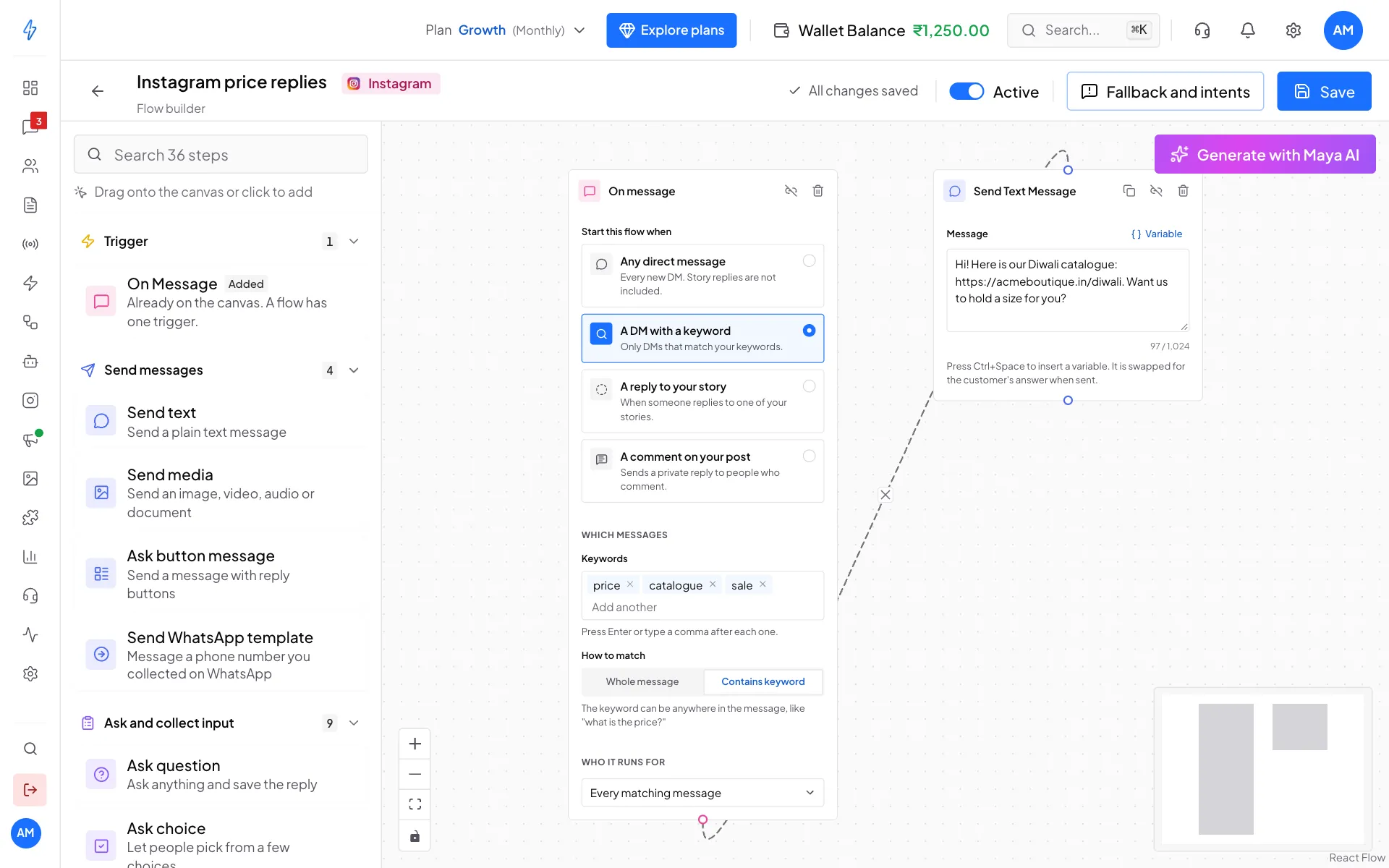
The four Instagram triggers Add keywords (for keyword DMs)
For A DM with a keyword, type each keyword under Keywords and press Enter or type a comma. Under How to match, pick Whole message (the DM must be exactly the keyword) or Contains keyword (the keyword can be anywhere, like "what is the price?").
Choose who it runs for
Under Who it runs for, pick Every matching message, New contacts only (their very first message) or Resolved chats only (a resolved chat gets a new message).
A comment on your post
Tap each post under Posts to pick it. The count shows how many you picked. Keywords are optional here: leave them empty to answer every comment on those posts.
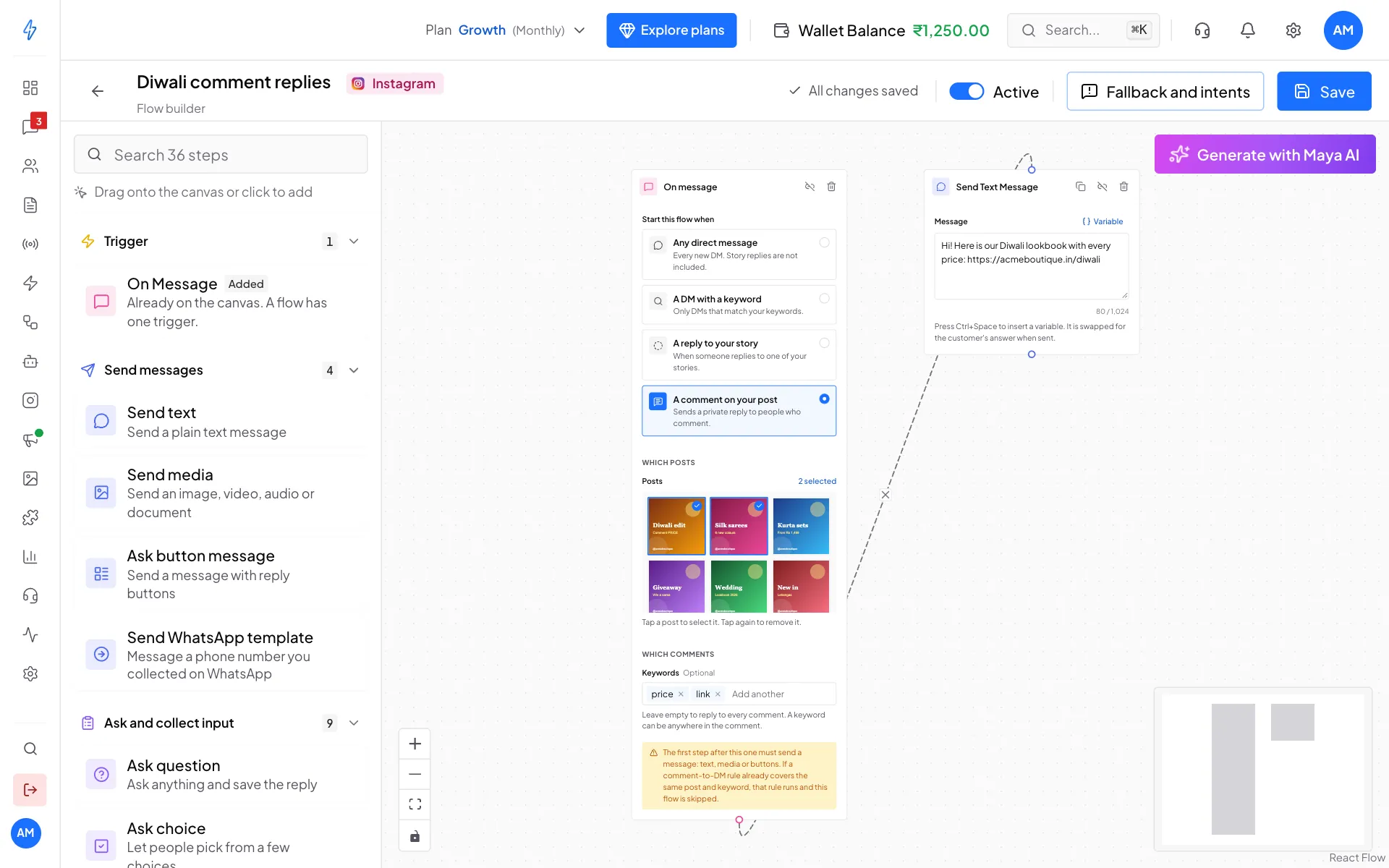
Two rules to know:
- The first step after the trigger must send something (text, media or buttons). Instagram only allows one private reply to a comment, straight away. If the first step is a Condition or a Delay, the person never gets a DM.
- Comment rules come first. If a comment rule covers the same post and keyword, the rule answers and this bot is skipped.
Story replies
For A reply to your story, you can paste Story IDs to answer only certain stories. Leave it empty to answer replies to any story.
Steps you can use on Instagram
The step list on the left only shows steps that work on Instagram.
Not available on Instagram: Ask list message, Send CTA, Send template, Send carousel, the catalog steps, Ask file and Ask location.
Send WhatsApp template moves an interested customer from Instagram to WhatsApp, for example after Ask phone. See Instagram bots.
How steps look on Instagram
A caption is sent as a separate text message, because Instagram files do not carry a caption.
If the customer types instead of tapping a button, the bot asks again (with your error message, if you wrote one), or skips the question if you marked it as optional. It never picks a random next step.
Steps only ready-made automations use
The automations use some Instagram-only steps that the flow builder does not show yet:
Instagram buttons can only open a link or send a tap back to your bot. There are no call buttons.
When a step cannot send
If Instagram refuses a message, the bot skips that step and moves on. It does not stop halfway and leave the customer waiting. The most common reasons:
- the messaging window has closed (more than 7 days since their last message),
- Instagram is not connected, or its access has run out,
- the step does not work on Instagram.
See Messaging windows for what you can send when.