
Delete your account
You can delete your Splashify Pro account and all of its data yourself. You get 48 hours to change your mind. After that, the account is deleted for good and cannot be brought back.
Before you delete
- Take a copy of your data. Click Download my data on the Account details page, or on the Delete account page.
- Money left in your wallet: write to [email protected] before you delete the account.
- Only want to remove someone from your team? You do not need to delete the account. See Team members.
Delete your account
Open Account details
Sign in at app.splashifypro.com as the account owner. Open Settings (the gear icon in the left sidebar or the top bar) and click Account Details.
Click Delete my account
In the Your data box, click Delete my account. The Delete account page opens. It shows what happens when you delete, and what is removed: your conversations, contacts, templates, broadcasts and the WhatsApp connection.
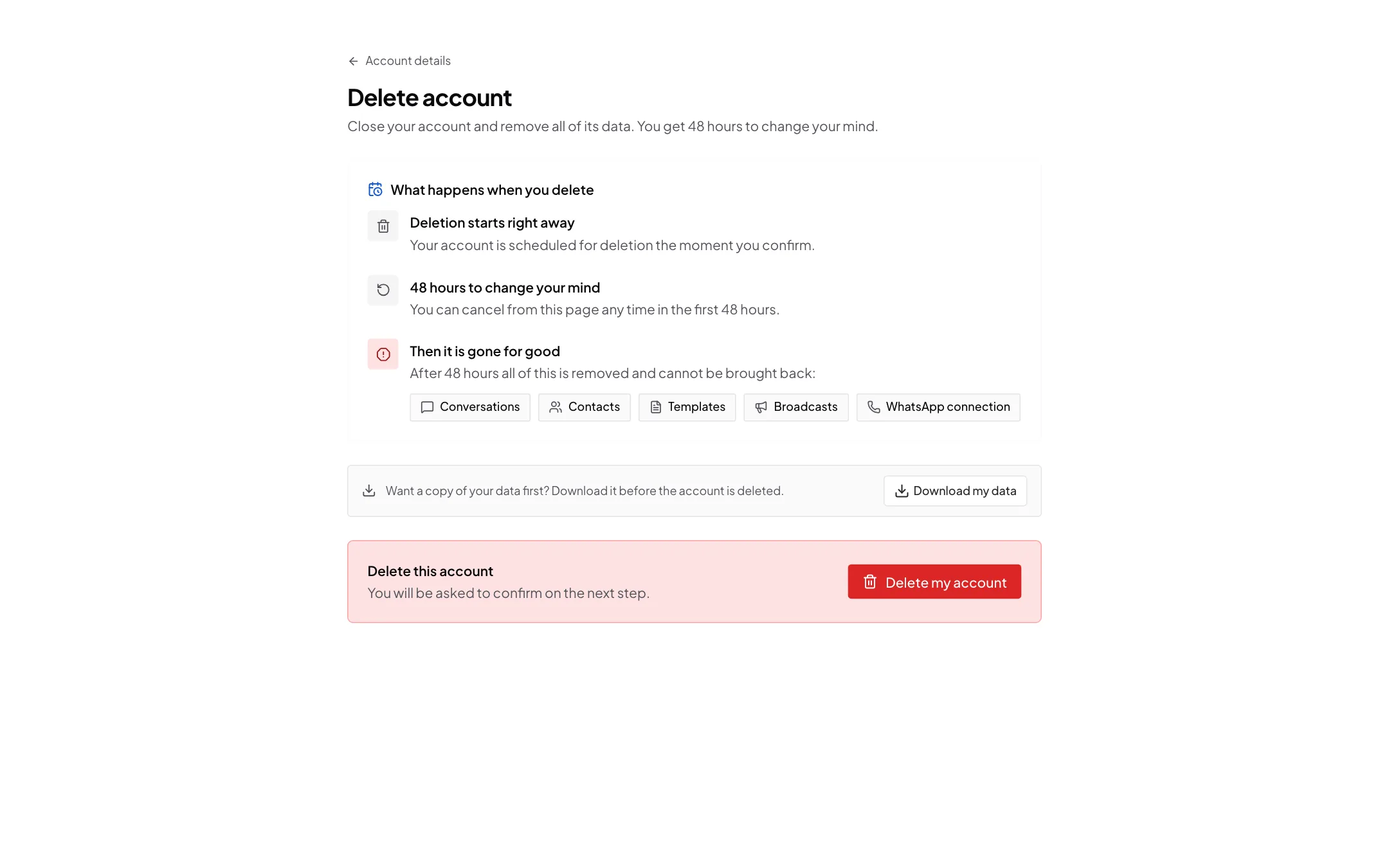
Read what happens, then click Delete my account Confirm
Click Delete my account. A box asks Delete your account? You can tell us why you are leaving under Why are you leaving?, but you do not have to. Tick the box that says you understand, then click Delete account.
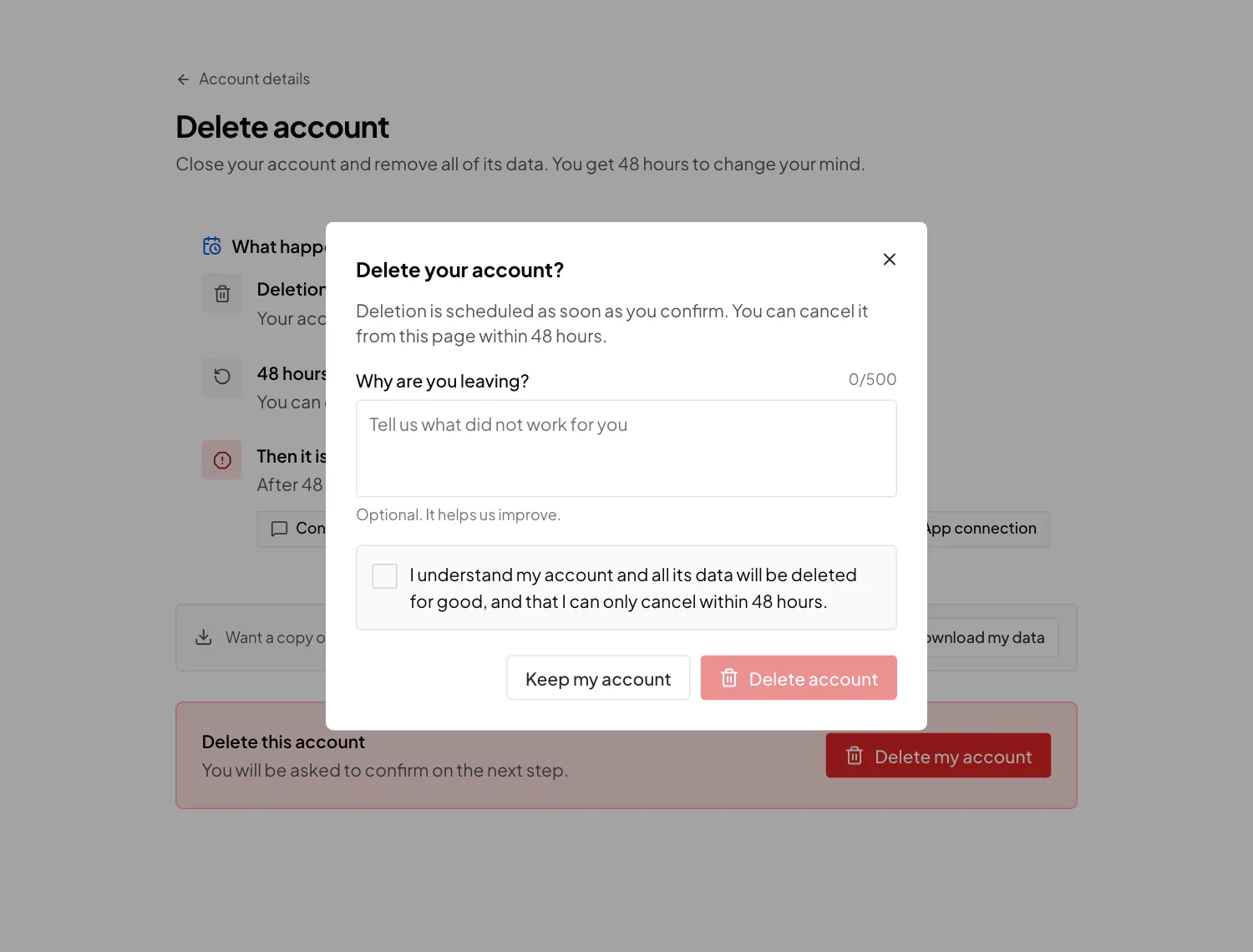
Tick the box, then click Delete account
You see Deletion scheduled, and we email you to confirm it.
Change your mind within 48 hours
While the deletion is waiting, the Delete account page shows Your account is set to be deleted, the Time left to cancel, and the dates it was Requested on and will be Deleted on. It also says Signing in again cancels the deletion.
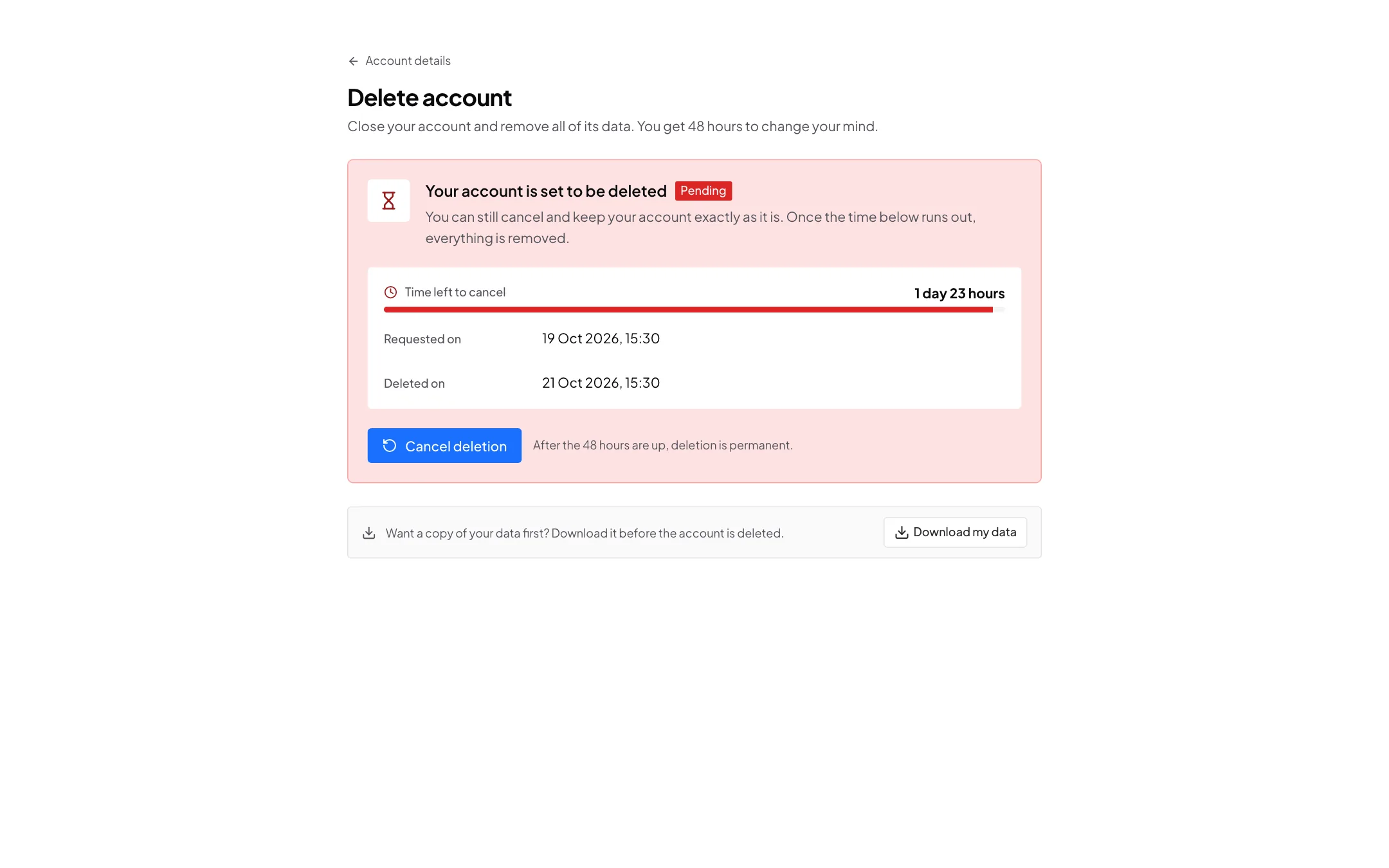
You can keep your account in two ways:
- Cancel it. Click Cancel deletion, then Keep my account. Your account stays exactly as it is, and nothing is removed.
- Sign in again. When you, the account owner, sign in again, in any way, the deletion is cancelled. We email you to say so. Using the app on a device where you are already signed in does not cancel it, and a teammate signing in does not cancel it either.
If you still want to delete the account after that, ask again from the Delete account page.
Reminder a day before
About a day before the account is deleted, we email you a reminder with the date and time it will be deleted, in your account's time zone. To keep the account, just sign in, or cancel the request in Settings.
What happens after 48 hours
The account and its data are deleted by themselves. This cannot be undone. What is deleted:
- Your profile, business details and settings
- Chats and messages, with their photos, videos, voice notes and files
- Contacts, with their tags, notes, custom fields and segments
- Templates, broadcasts and their reports, campaigns, flows and AI agents
- Your team members and signed-in devices
- The link to your WhatsApp and Instagram accounts. Your WhatsApp number and your Instagram account stay yours.
Your tax invoices are kept, because the law requires it.
Cannot sign in?
Write to [email protected] from the email address of your account, with the subject Delete my account. We check that the request is really yours before we delete anything.
The public page splashifypro.com/delete-account explains the same steps, for anyone who is not signed in.