
Daily spend limit and low wallet alert
Set the most your account may spend in one day, and get an alert before you reach it. Choose the balance at which we tell you your wallet is running low, so broadcasts and replies never stop by surprise.
Both live on one page: Settings, then Alerts and Limits.
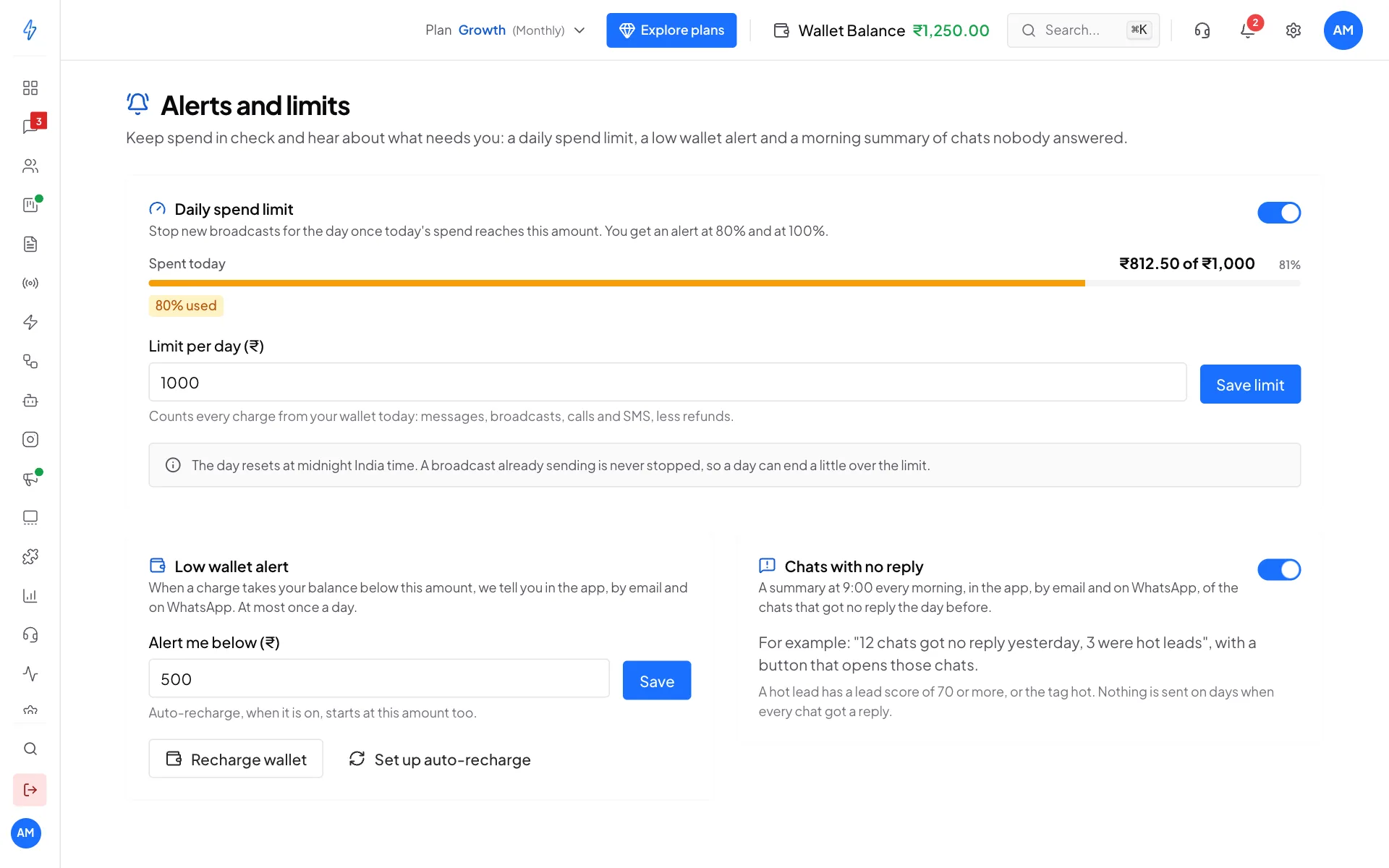
Set a daily spend limit
Open Alerts and Limits
Click Settings (the gear icon) and, under Account & Billing, click Alerts and Limits.
Switch on Daily spend limit
Turn on the switch next to Daily spend limit.
Type your limit and save
Type the most you want to spend in one day in Limit per day (₹), for example
1000, and click Save limit. You see Daily spend limit saved.
The bar under Spent today shows how much of the limit today has used.
What counts as spend
Everything your wallet pays for today: WhatsApp and RCS messages, broadcasts, calls and SMS. Money given back to your wallet the same day, for example for messages that failed, is taken off. A broadcast is counted when you create it, because that is when its cost leaves your wallet.
The day runs from midnight to midnight, India time.
What happens at 80% and 100%
You get each alert once a day. If your spend jumps straight past 100%, you only get the 100% alert.
When the limit is reached and you try to create a broadcast, you see a message like Today's spend limit of ₹1,000 is reached, so new broadcasts cannot start until midnight.
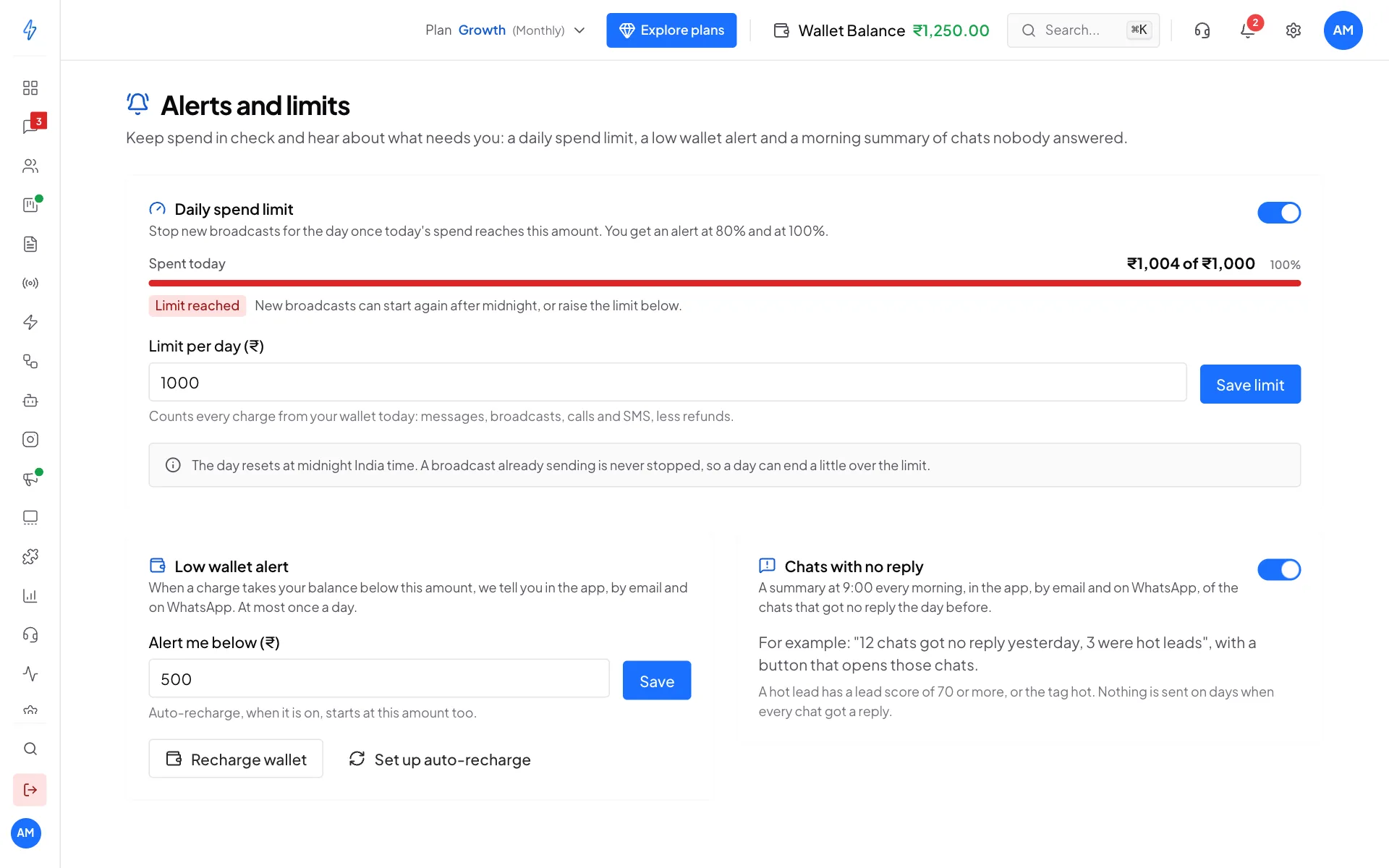
Sending never stops halfway
A broadcast that is already sending is never stopped by the limit. That is why a day can end a little over your limit.
Change or remove the limit
Type a new amount and click Save limit. A higher limit lets new broadcasts start again straight away, and you are alerted again when you reach the new limit.
To remove the limit, turn the Daily spend limit switch off. You see Daily spend limit turned off.
Set your low wallet alert
When a charge takes your wallet balance below your alert level, we tell you in the app, by email and on WhatsApp. You get this at most once a day.
Find Low wallet alert
On the same Alerts and limits page, find Low wallet alert.
Type your amount and save
Type the balance at which you want to hear from us in Alert me below (₹), for example
500, and click Save.
If you never set one, we use ₹100.
The alert has two buttons:
- Recharge wallet opens your wallet so you can top up.
- Set up auto-recharge opens the recharge panel, where you can turn on auto-recharge. With auto-recharge on, your wallet is topped up by itself when it reaches your alert level.
One amount for both
Your low wallet alert level and your auto-recharge level are the same amount. Changing one changes the other.
Where the alerts show up
- In the app: the bell at the top right. Click an alert to open the page it is about.
- By email: to the email address of the account owner.
- On WhatsApp: the low wallet alert, to the owner's mobile number.