
Send products in chat
From any WhatsApp chat you can send products straight from your catalog: your whole shop, one product, a short list, or cards to swipe. The customer sees pictures and prices and can order in WhatsApp.
You need a connected catalog first.
Send products
Open the chat
In the left sidebar, click Messages, then open the customer's WhatsApp chat.
Click + and choose Product catalog
Click + at the bottom left of the reply box, then Product catalog.
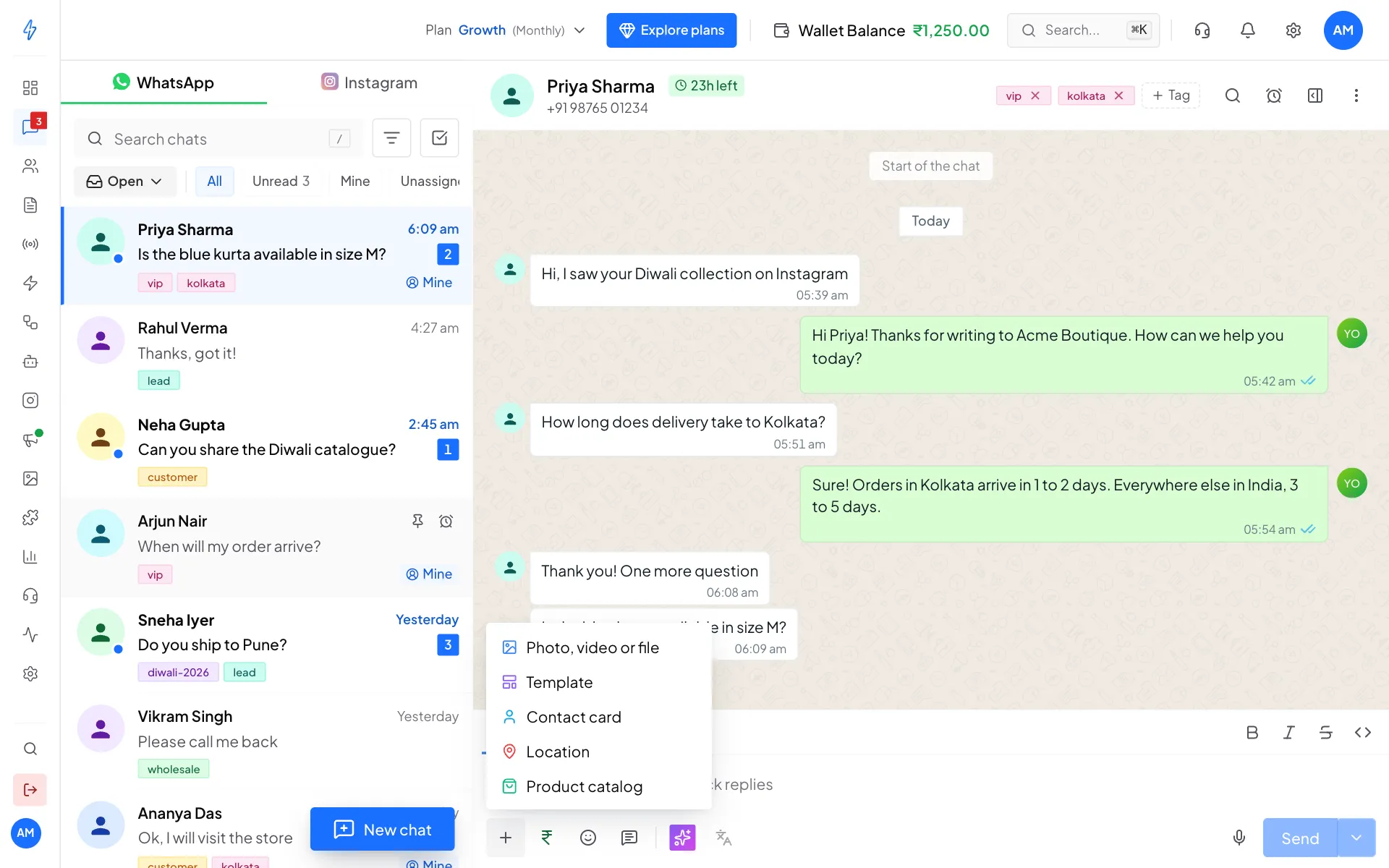
Product catalog is in the + menu Pick what to send
The Send from catalog box opens. Under What to send, pick one:
- Whole catalog: opens your shop in WhatsApp.
- One product: a single product card with its price.
- Several products: up to 30 products in one message.
- Carousel: 2 to 10 cards the customer swipes through.
Pick the products
Tick the products in the list. Type in Search products to find one by name or ID. The label above the list shows how many you picked. For Several products, you can also type a List heading.
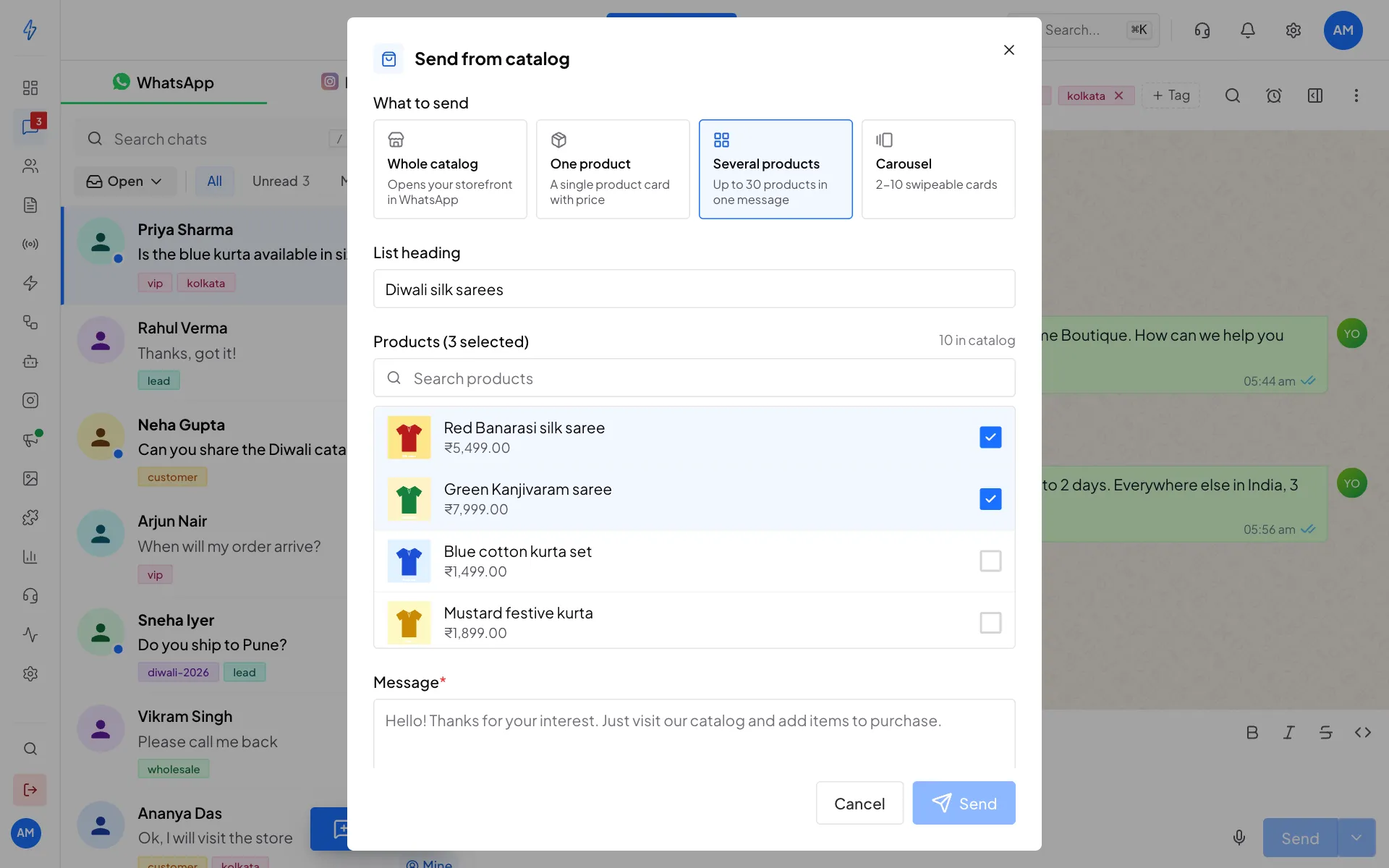
Choose the type, then tick the products Write the message
Type your Message and, if you like, a Footer (small grey text under the message). The counters show how much room is left.
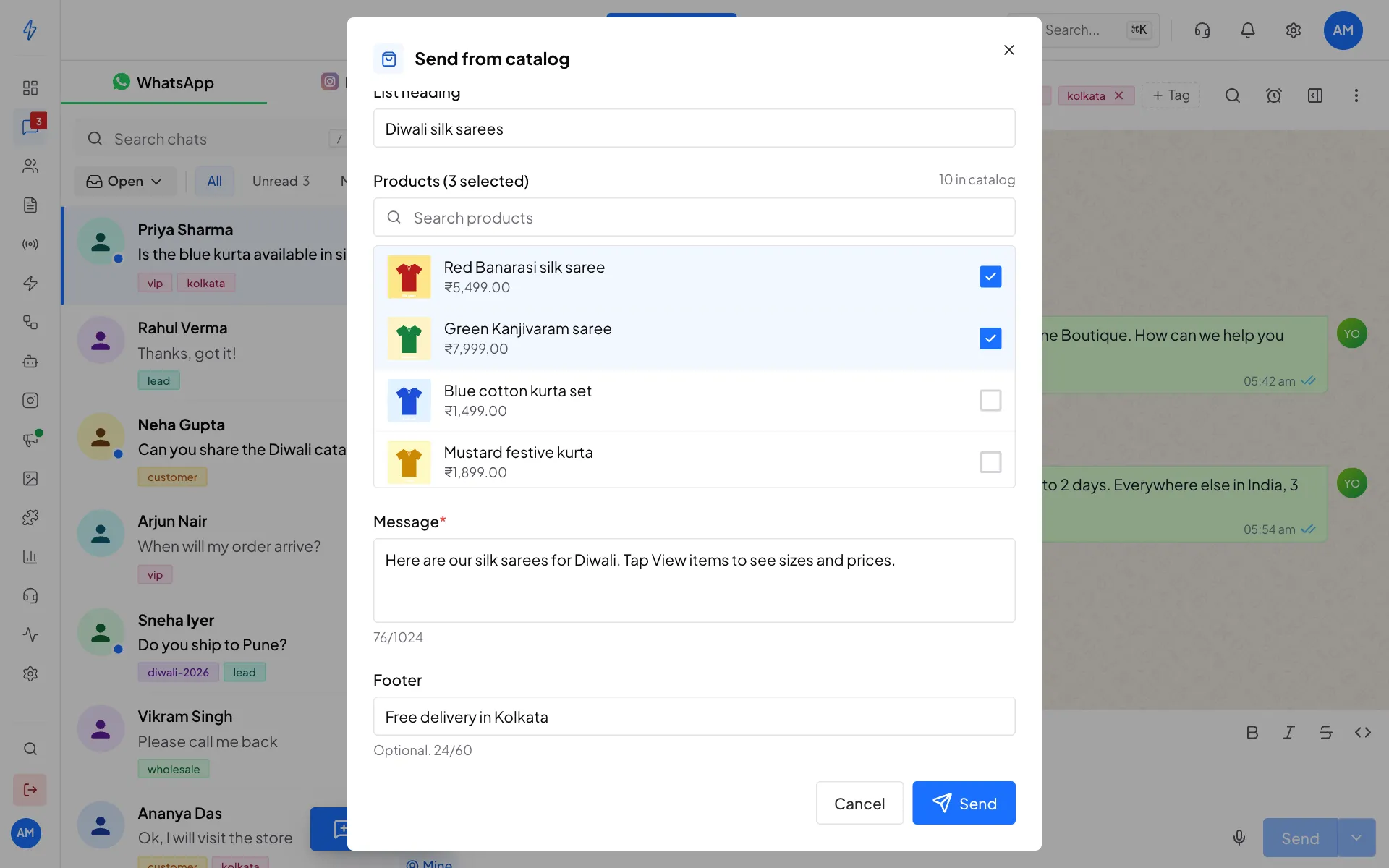
Add a message and footer, then send Click Send
Click Send. You will see Catalog message sent, and the message appears in the chat with product pictures and a button such as View catalog or View items.
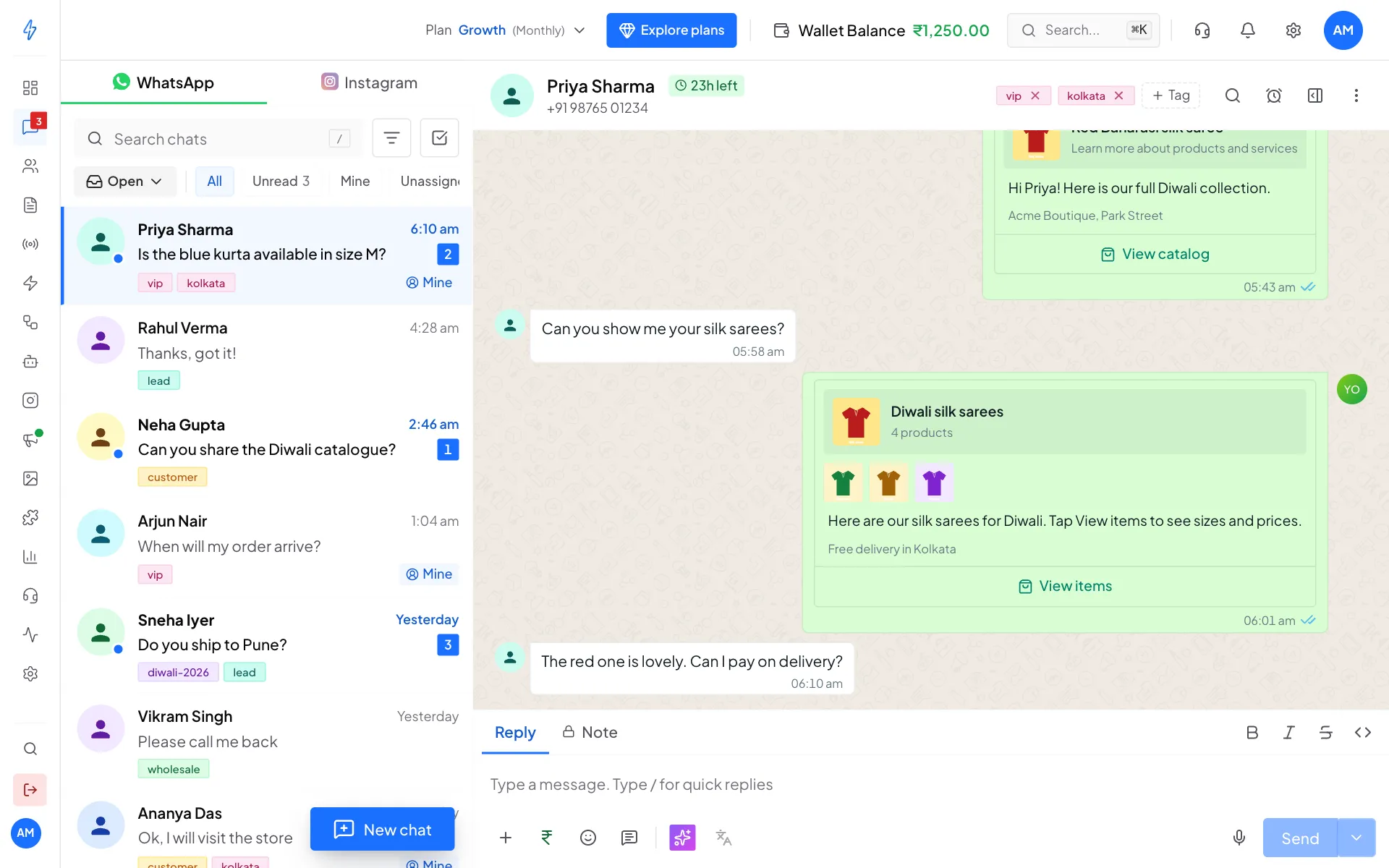
What you see in the chat after sending
The four message types
Whole catalog
Best for "here is everything we sell". Picking a product is optional. It only sets the picture at the top. Without one, Meta uses the first product in your catalog.
One product
Best for answering "how much is the red saree?". The price comes straight from your catalog, so it is always current.
Several products
Best for a short list. Up to 30 products in one message. Give the list a heading so the customer knows what they are looking at. If you leave it empty, the heading is Our products.
Carousel
Best for comparing a few products side by side. Meta needs at least two cards and allows at most ten. A carousel cannot have a footer, so the Footer box hides when you pick it.
Limits
The box counts characters as you type and will not send a message that breaks Meta's limits.
Finding products
The list shows the products the app has imported. Search by name or by the product ID from Commerce Manager. If a product is missing, go to Commerce and click Import products.
What the customer can do
After getting a product message, the customer can:
- Ask a question. Their reply arrives as a normal message in the chat.
- Place an order, if the shopping cart is switched on. They add items to the cart and send the order. It shows in the chat as Order placed.
Orders arrive once
Meta sends a cart order only once and keeps no copy you can fetch later. The app saves it when it arrives. Make sure your products are imported, so orders show your product names.
If something goes wrong
Next, see Catalog chatbot blocks.