
SMS in drip campaigns
A message in a drip campaign can be an SMS instead of a WhatsApp or RCS message. It is sent with one of your approved SMS templates and charged to your wallet at your SMS price, the same as any other SMS you send.
Before you start
- Set up SMS and wait until it shows Active. Drip Campaigns then shows in the left sidebar, even if WhatsApp and RCS are not connected.
- Add an SMS template and get it approved. See SMS templates. Promotional and service templates can be used in a campaign. Transactional templates cannot: they are for one-time passwords, which make no sense on a delay.
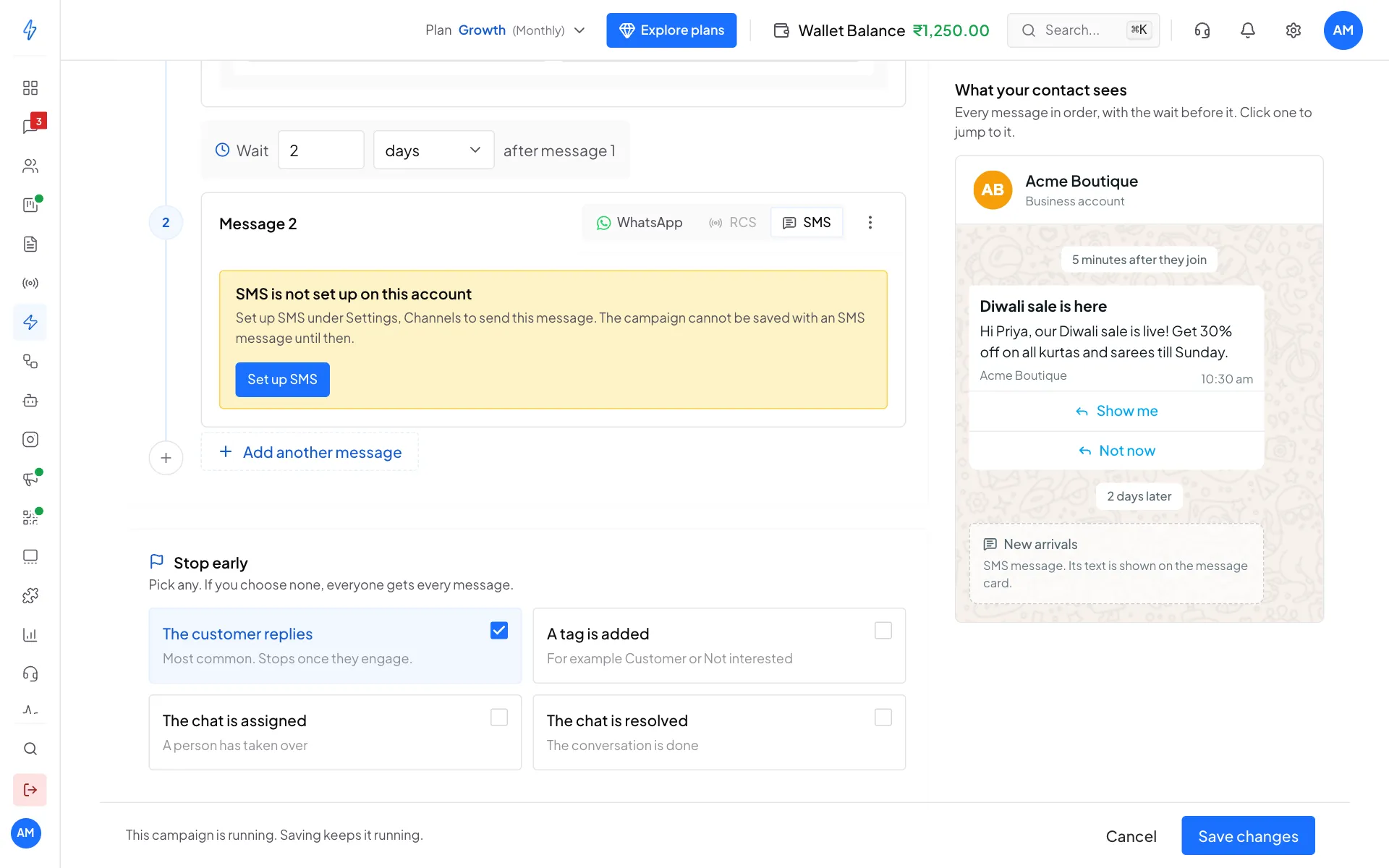
If SMS is not set up yet, an SMS message in the campaign shows SMS is not set up on this account with a Set up SMS button, and the campaign cannot be saved until it is.
Add an SMS message
Open the campaign
Click Drip Campaigns in the left sidebar, then click New drip campaign, or open a campaign and click Edit.
Choose SMS
On a message, choose SMS at the top of the card.
Pick the template
Under SMS template, pick an approved template. Its text is shown under the picker.
Fill in the variables
Under Personalise this SMS, choose where each variable gets its value (see the table below). Every
{#var#}in the template gets one.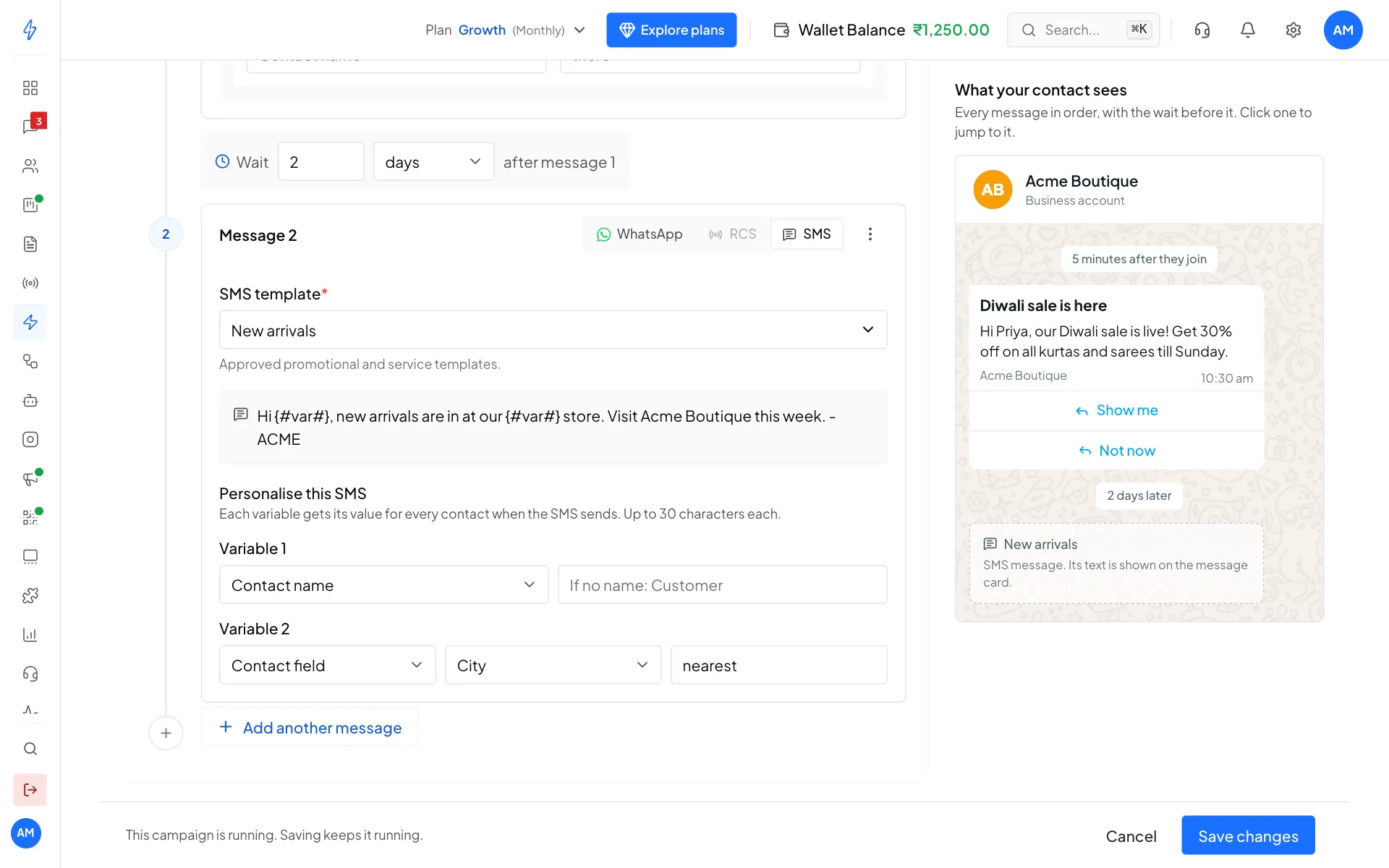
Choose SMS, pick the template and fill in its variables Save
Click Save as draft (or Save changes), or Save and start. If something is missing, the message is highlighted with what to fix.
Where variables get their value
Each value can be up to 30 characters. A longer value, such as a long name, is cut to 30 characters.
Pick a fallback that still reads well in the sentence. For example, Acme Boutique uses the template
Hi {#var#}, new arrivals are in at our {#var#} store. Visit Acme Boutique this week.
with Contact name for the first variable and the City contact field for the second, with nearest when the city is empty:
Who gets it
The SMS goes to the contact's Indian mobile number, for example +91 98765 43210. When its turn comes, the SMS is skipped for a contact who:
- opted out of your messages, or is blocked
- was deleted
- has no Indian mobile number
- has an empty value for a variable that has nothing to use instead
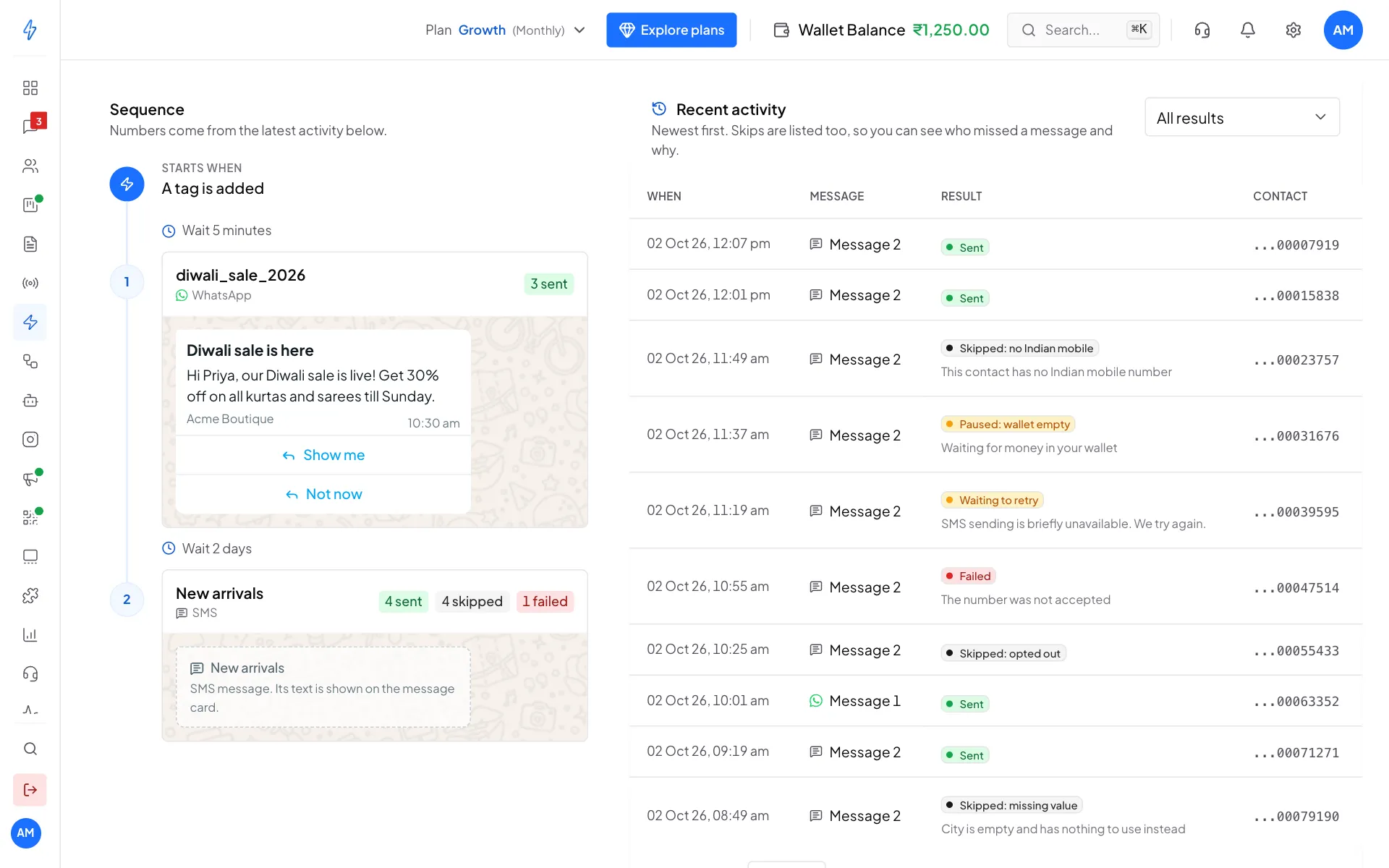
A skipped SMS is not sent and not charged. The contact moves on to the next message. The campaign's activity list shows each skip with its reason.
Sending and charges
- Each contact gets each SMS message at most once.
- If your wallet cannot pay for the SMS, the contact waits at that message and nothing is charged. The activity list shows Paused: wallet empty. A few minutes after money is added, the contact continues from that message.
- If the SMS cannot be sent just now, for example SMS sending is briefly unavailable, the activity list shows Waiting to retry and it is tried again, with nothing charged. If it still cannot be sent after 3 days, it is skipped and shows Skipped: could not send.
- If the SMS was refused, for example the number was not accepted, the activity list shows Failed with the reason. It is not charged and not tried again.
- Like every message in a campaign, an SMS due between 9 pm and 9 am waits until 9 am.
Contacts started through the Public API get SMS messages the same way.