
Retarget people who did not read
Not everyone reads a broadcast. Send a follow-up to just those people, with the same template or a new one. Do it now, or let it go out on its own 24 hours after the broadcast finishes.
Send it again now
Open the broadcast's report
Click Broadcasts in the left sidebar, then the arrow at the end of the broadcast's row.
Click Re-Broadcast
At the top right of the report, click Re-Broadcast.
Pick when and who
Under When, pick Send now. Under Who gets it, pick a group, for example Not read yet (sent or delivered, but not read) or All Failed. The number next to each is how many people are in it.
Pick the template
Under Template, keep Same template, or pick another approved one. If it has variables, fill each one with a contact field (like Contact name) or a fixed value.
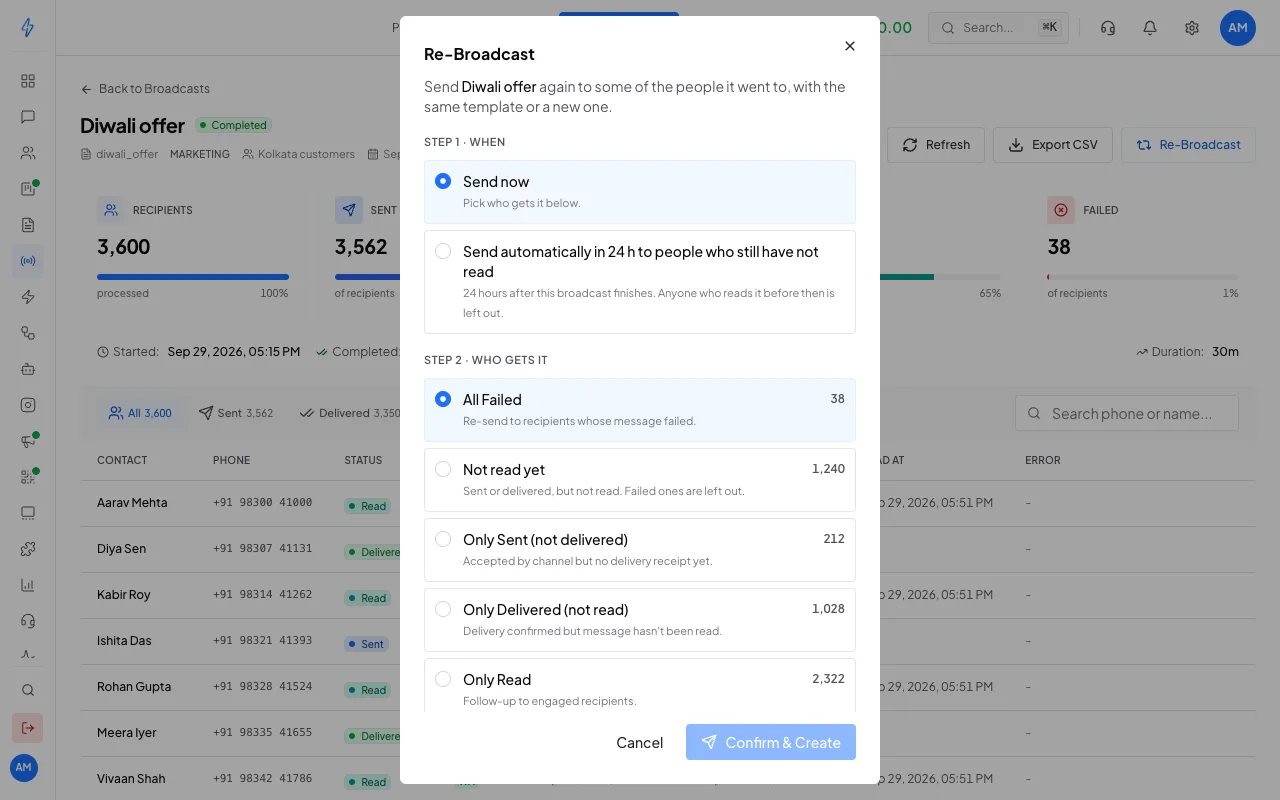
Pick when, who and which template Confirm and create
Tick the consent box, then click Confirm & Create. The new broadcast starts and its report opens.
Send it automatically in 24 hours
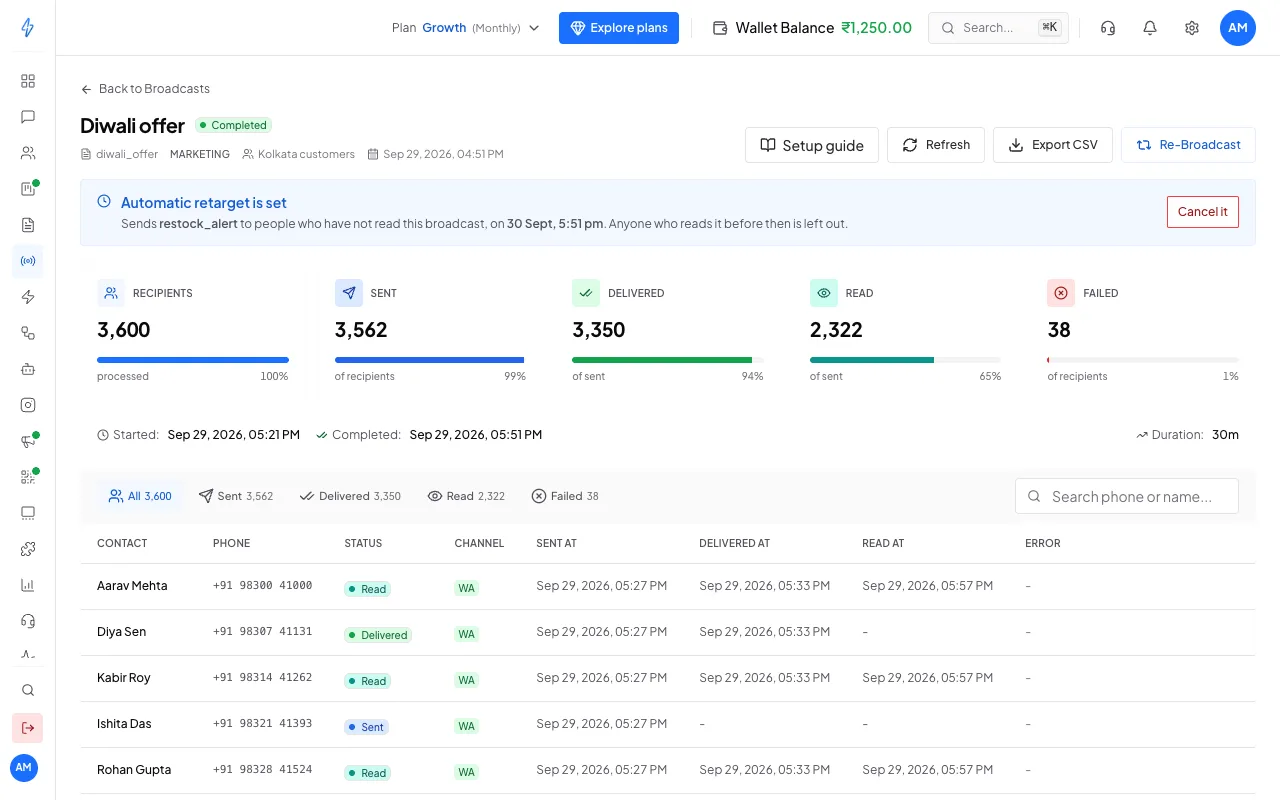
Pick Send automatically in 24 h to people who still have not read under When, choose the template, tick the consent box and click Set automatic retarget.
- It goes out 24 hours after the broadcast finishes. You can set it while the broadcast is still sending.
- Who gets it is worked out when it sends, not when you set it. Anyone who reads the first message in the meantime is left out.
- It goes to people whose message was sent or delivered but not read. Failed numbers are left out.
- Your wallet is charged when it sends, for the people it goes to. Nothing is charged when you set it.
- One automatic retarget per broadcast.
See it or cancel it
The report shows a line for the automatic retarget:
Good to know
- A new template often works better than the same one again. See which of yours get read in Template insights.
- A template with an image, video or document header needs a file, so use a new broadcast for it.
- An RCS broadcast is retargeted with its own template.