
SMS pricing and billing
SMS is charged per SMS part, from your wallet. It is the same wallet you use for WhatsApp, so there is nothing separate to top up. The app always shows the cost before you send.
Your price
Prices are set for each account, so this page does not list them. The app shows the cost before you send:
- in the Verify template dialog, for the test SMS
- in the Send SMS dialog, for one contact
- in the broadcast Review step, as the estimated cost for the whole broadcast
The price per part can be different for each type: promotional, transactional and service.
How parts are counted
A long SMS is split into parts, and each part is charged. How many characters fit in a part depends on the text.
For example, an English message of 200 characters is 2 parts. The same length in Hindi is 3 parts.
Good to know:
- A single Hindi letter or emoji makes the whole message Unicode.
- A few symbols count as two characters in English text:
€ [ ] { } ~ ^ | \ - Variables are counted after they are filled in, so a long name can add a part.
- The part count the app shows while you type is an estimate. You are charged for the parts the message actually used.
When you are charged
- You are charged when the SMS is accepted for sending.
- If the SMS is later not delivered, the charge is not refunded. This is different from WhatsApp.
- If your balance cannot cover an SMS, it is not sent.
- The test SMS you send to verify a template is charged like any other SMS.
Limits
Where to see your SMS charges
Open Track expenses
Open Settings (the gear icon) and click Track Expenses.
Look at the SMS tile
The SMS tile shows how much you spent on SMS, how many messages that was, the average per message, and its share of your total spend. Pick a different period at the top right.
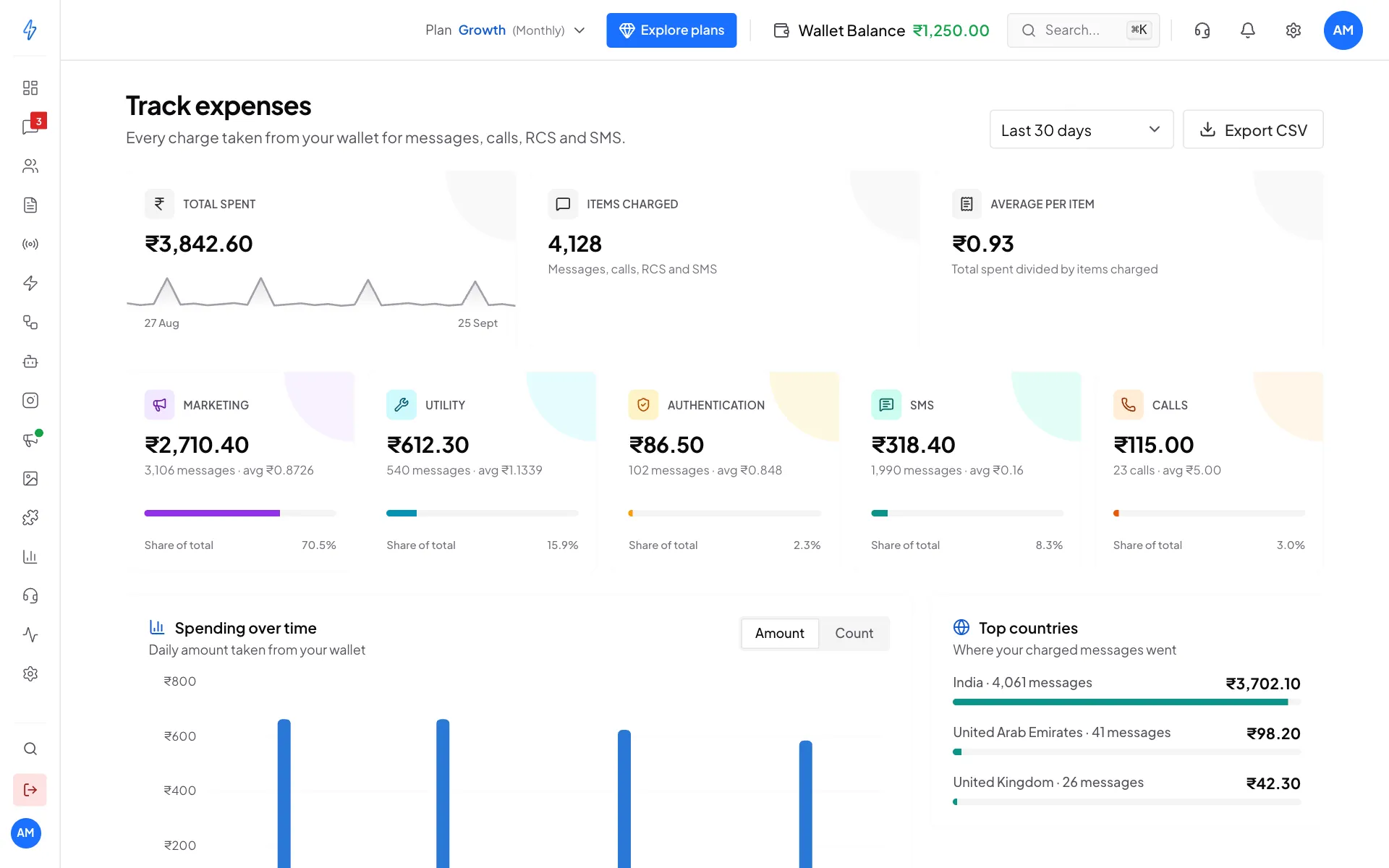
The SMS tile shows your SMS spend
You can also see SMS charges:
- in your wallet history, with your other wallet transactions. See Wallet and billing details.
- on each SMS broadcast in the list, as the amount charged so far.
See Track expenses for the full page.