
Refer a business
Share your invite link with another business. When they sign up and make their first payment, you both get ₹250 in your wallet.
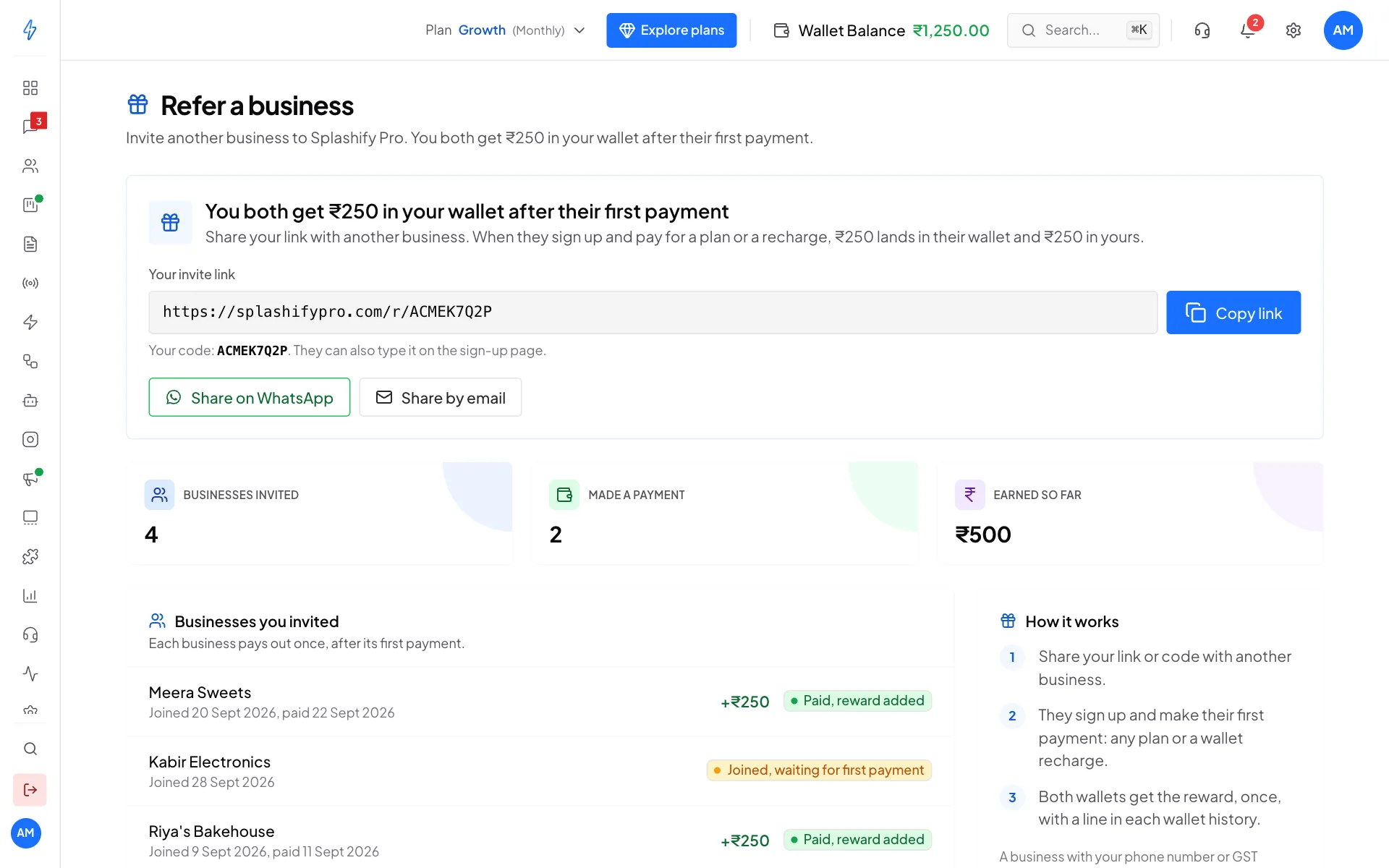
Share your link
Open Refer a Business
Click Settings (the gear icon) and, under Account & Billing, click Refer a Business.
Copy or share your link
Your link looks like
splashifypro.com/r/ACMEK7Q2P. Click Copy link to paste it anywhere, or use Share on WhatsApp or Share by email to send it with a short message.
The business can also type your code (the part after /r/) in Have a referral code? on the sign-up page.
When you get the reward
- The business signs up with your link or code.
- It makes its first payment: any plan, or a wallet recharge.
- ₹250 is added to its wallet and ₹250 to yours, once. Each wallet shows a Referral reward line in its history, and you both get an alert in the app.
Each business pays out once, on its first payment. Later payments do not add more.
Track your invites
Businesses you invited lists everyone who signed up with your link, newest first:
Above the list you see how many businesses you invited, how many made a payment, and how much you have earned.
Who can be referred
The reward is for a new, different business. Signing up your own account again, or a business with the same phone number or GST number as yours, does not earn a reward.